An alternative to Papyrus Autor, made for the Mac.
Looking for an alternative to Papyrus Autor? Goethe Write is a Mac app for novels, non-fiction and screenplays. It exports the German Normseite and an English standard manuscript, sets a paperback, plans the story on a timeline and lets others work in the project. Papyrus is ahead for German style checks and on Windows; here is how to decide.


The short answer.
If you write on a Mac and want one app for the manuscript, the plan of the story and perhaps a screenplay, Goethe Write is worth a look. It is a one-time purchase of US$79.99 on the Mac with 14 days free, and it is available now on the Mac App Store.
If your work depends on Duden checks, a detailed style analysis or Windows, Papyrus Autor remains the better tool, and this page says so plainly. For the full side-by-side table with sources, see Goethe Write and Papyrus Autor.
Goethe Write and Papyrus Autor compared Coming from Scrivener instead
The facts that usually decide it.
Five points most writers check first. Papyrus facts as published on papyrus.de.
| Goethe Write | Papyrus 12 (formerly Papyrus Autor) | |
|---|---|---|
| Systems | Mac; free app for iPhone and iPad | Windows and macOS in one licence, on up to three of your own devices |
| Price | US$79.99 once, 14 days free; Goethe Cloud optional | €349 once, no subscription; €149 as an upgrade from Papyrus Autor |
| German language checks | The spelling and grammar check of macOS | Duden spell checker and thesaurus, style analysis in 16 categories, readability analysis |
| Manuscript and book | Normseite and standard manuscript; paperback 12 × 19 cm; EPUB | Normseiten; book designer; print-ready PDF with a CMYK colour profile; EPUB and Mobi |
| Screenplays and working together | Screenplay editor with Final Draft files; several people in one project | Not described on the maker’s pages we checked |
Sources: Papyrus: prices, Papyrus: style analysis, Papyrus: publishing.
Checked on 13 November 2026 on papyrus.de. Papyrus Autor is a trademark of its owner; Goethe Write is not affiliated with it. Goethe Write is available now on the Mac App Store.
What to look for in a Papyrus Autor alternative.
Writers who look around usually have one of these reasons. Each comes with what Goethe Write does about it.
- The Normseite for the publisherGerman publishers and agencies ask for the Normseite: 30 lines of 60 characters. In Goethe Write you choose Standard Manuscript under File ▸ Export…; in a German project it is the Normseite with name and title in the header, as a PDF in a typewriter face. In an English project it becomes the English standard manuscript. More in the Normseite guide.
- A book that looks like a bookYou write on real pages with styles, footnotes, headers and footers. The Paperback output format sets 12 × 19 cm, justified, chapters on a new page, with running heads; E-Book writes EPUB with a table of contents and footnotes.
- Plotting next to the textBeats on the Beat Board, scenes as cards (⌘2) or as a table (⌘3), characters and places with their own sheets, and Go ▸ Timeline (⌘5) with one track per storyline, character and place.
- A screenplay from the same storyA novel and its adaptation can share one project. The screenplay editor follows Final Draft’s page breaks and opens and saves .fdx and Fountain.
- Editors and co-authors inside the projectWith Goethe Cloud several people work in one project, in the same network or over the internet, end-to-end encrypted. Read links bring the manuscript to test readers in any browser. Guests pay nothing.
Manuscript, Normseite and paperback from one text.
The text stays the same; only the output changes. File ▸ Export… (⌥⇧⌘E) shows a live preview of each format and, on the left, a list of anything that would still go wrong. On one afternoon you can produce the Normseite for the agency and the paperback layout for a reading.
For the page itself, the Presets menu of the page setup holds Standard Manuscript Page A4 – 30 lines of 60 characters in Courier New 12 pt – and Paperback 12 × 19.

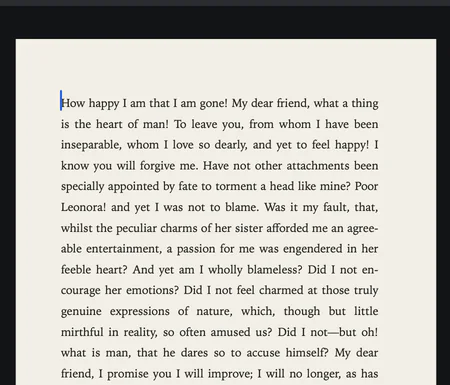
Close-up of a typeset manuscript page in a book face, justified
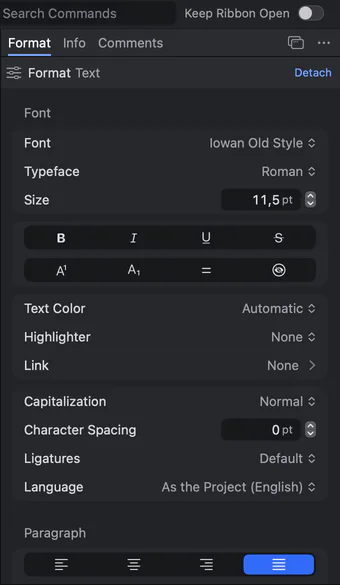
The Format panel: typeface, size, text colour, capitalization, character spacing, ligatures and language
Plan the story where you write it.
The outline, the cards and the timeline all show the same scenes. Drag a card to another place, and the new order applies to the export too. Give each scene its point of view, place and time in the Inspector, and the timeline and the analysis use them. The relationship map shows the cast at a glance.
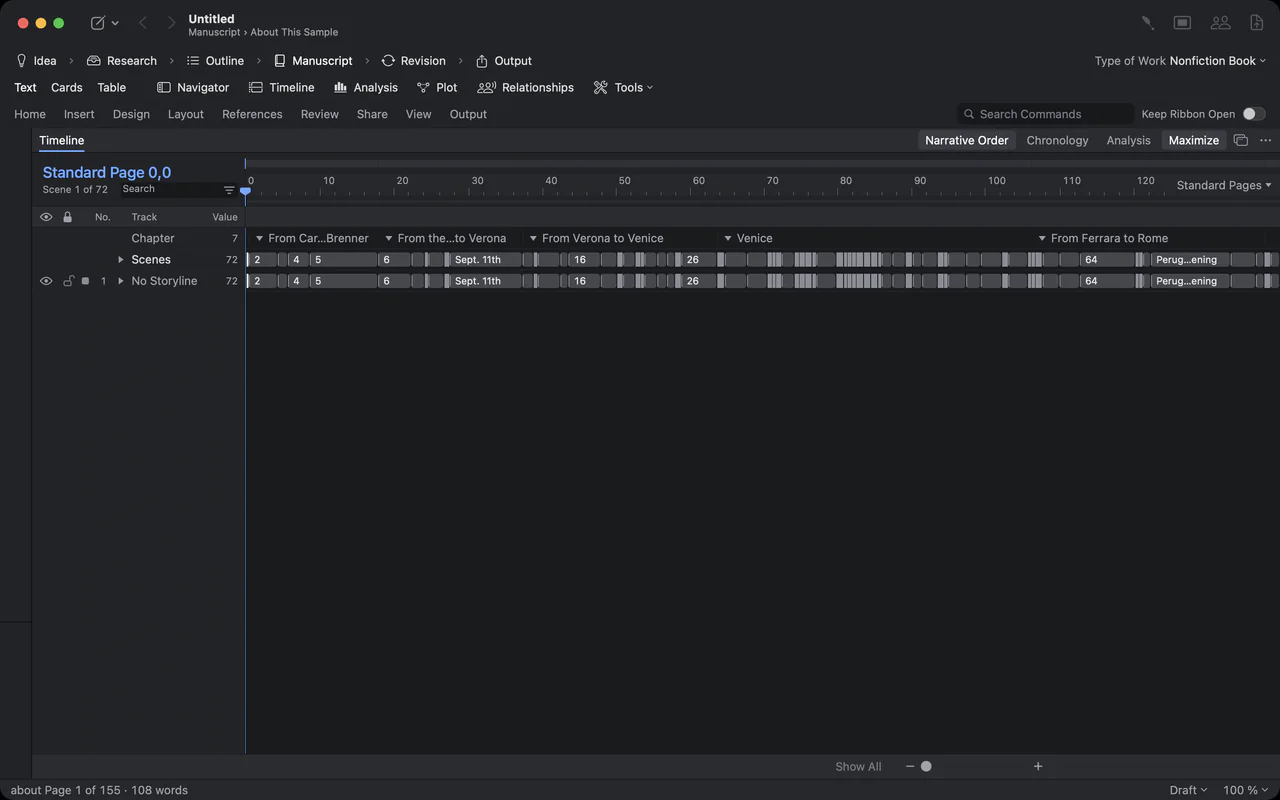
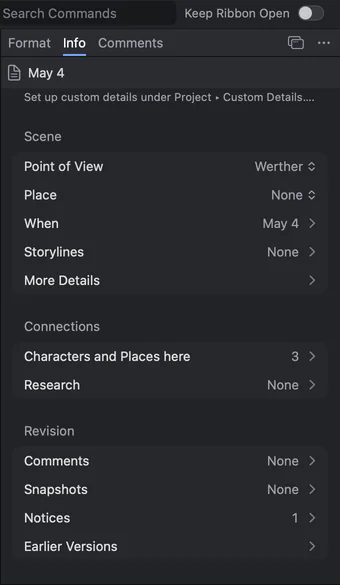
Scene details in the Inspector: point of view, date, place and connections
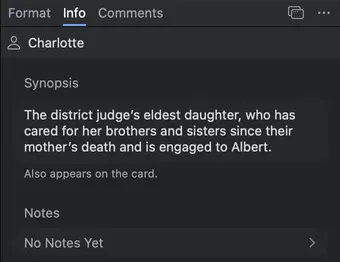
Charlotte’s profile in the Inspector: synopsis and notes
Moving a manuscript from Papyrus.
There is no direct import of Papyrus files. The route is Word, which Papyrus exports and Goethe Write reads with formatting and real footnotes.
- Export from PapyrusSave the manuscript as a Word file (.docx).
- Import into Goethe WriteChoose File ▸ Import ▸ Texts (Word, RTF, Markdown)… and pick the file. Each file becomes a text in the manuscript.
- Split it into chaptersIf the book arrives as one long text, choose Entry ▸ Split at Headings; ninety pages become a tree of chapters.
- Or let the app find the partsFile ▸ Import ▸ Import Work… recognises chapters and sections in a long file, shows a preview and can detect people and places.
Where Papyrus Autor does better.
For German prose, Papyrus is hard to beat: the Duden spell checker and thesaurus, a style analysis in 16 categories and a readability analysis help with every sentence. Goethe Write uses the spelling and grammar check built into macOS (Edit ▸ Spelling and Grammar) and has no style analysis of that kind.
Papyrus runs on Windows and the Mac in one licence, is available today, and its book designer produces print-ready PDF with a CMYK colour profile, EPUB and Mobi. If you need any of these, Papyrus is the better choice.
Questions about leaving Papyrus Autor.
Can Goethe Write open Papyrus files?
Not directly. Export your manuscript from Papyrus as a Word file (.docx) and import it with File ▸ Import ▸ Texts (Word, RTF, Markdown)…; headings, formatting and footnotes come along.
Does Goethe Write create the Normseite?
Yes. The Standard Manuscript output format gives a German project the Normseite – 30 lines of 60 characters, name and title in the header – as a PDF. The page preset Standard Manuscript Page A4 sets the page itself.
Does Goethe Write have Duden or a style analysis?
No. Goethe Write uses the spelling and grammar check of macOS. If Duden checks and a style analysis matter most to you, Papyrus is the better tool.
Is Goethe Write available in German?
Yes. The app has a German interface, and the handbook is available in German.
What do Papyrus and Goethe Write cost?
Papyrus 12 is €349 once, or €149 as an upgrade from Papyrus Autor (papyrus.de, checked 13 November 2026). Goethe Write is US$79.99 once on the Mac after 14 free days; Goethe Cloud is optional at US$4.99 a month or US$49.99 a year.
Can I get Goethe Write today?
Yes. Goethe Write is on the Mac App Store, and the iPhone and iPad app is free in the App Store.
Try it with your own manuscript.
Import a Word copy of your book during 14 free days on the Mac and export a Normseite from it. If it fits, buy once for US$79.99. Publishers and agencies can equip writers with Teams seats at US$29.99 per Mac, from five seats.