Novel writing software that keeps the whole book in view.
From the first idea to the manuscript you send to agents: Goethe Write keeps your novel, its people and its research in one project, on pages that look like the book.


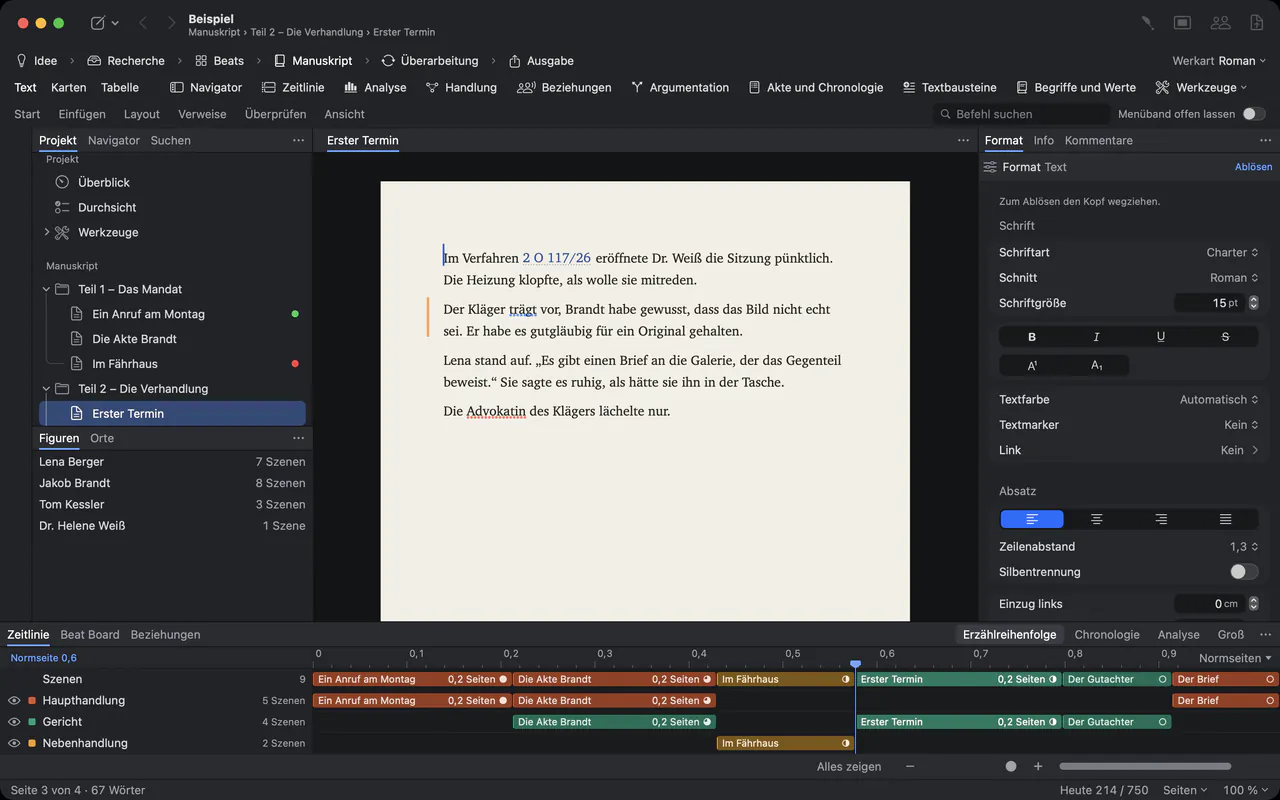
Plan.
- Outline and cardsParts, chapters and scenes you can drag, as an outline, as cards or as a table.
- Beat BoardA free wall for scene cards while the story is still taking shape.
- TimelineStorylines, characters and places on tracks, in narrative or chronological order.
- Characters and placesWho appears where, and a relationship map of who stands to whom.
- Samples from Goethe himselfWerther, Faust I, poems and the Italian Journey come with the app as sample projects – Goethe’s own works, in the public domain.
Finish.
- Standard manuscriptFor English-language books: the format agents and publishers ask for, in one click.
- NormseiteFor books in German and other languages, the same manuscript format sets Normseiten of 30 lines with 60 characters.
- Paperback and e-bookA book layout at 12 × 19 cm, and EPUB for Apple Books and Kobo.
- Word for your editorA .docx with headings, footnotes and page numbers.
Coming from Scrivener?
Goethe Write imports Scrivener 2 and 3 projects: the binder becomes the outline, with titles, synopses, notes, labels and status, and your texts keep their formatting and footnotes.
Goethe Write and Scrivener Compare all writing apps for books