Writing software for every long work – everything Goethe Write does
Goethe Write is one Mac app for screenplays, novels, nonfiction and legal writing. Each page below starts with a problem writers know and shows, step by step, how Goethe Write solves it – with real screenshots.
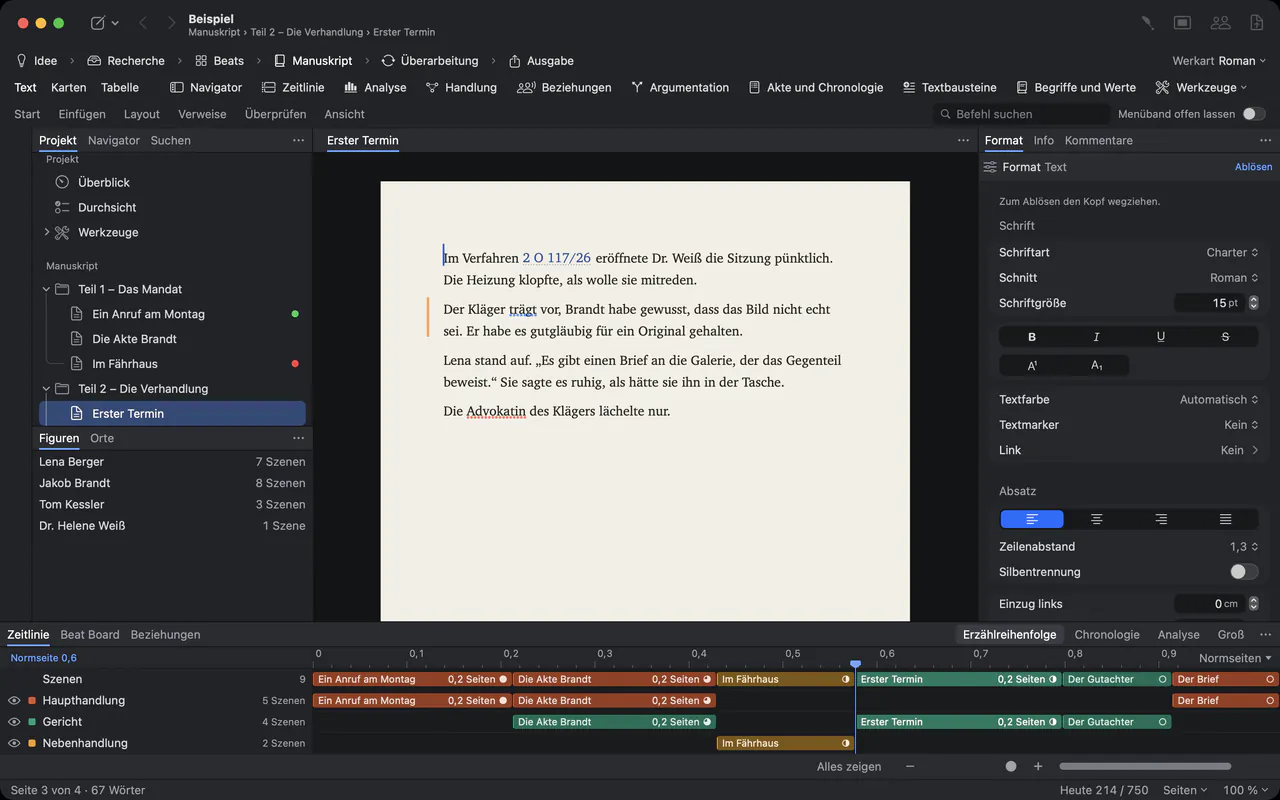
Write any kind of long work
One app for four types of work. Each brings its own phases, styles and tools, and each sets the pages its readers expect.
- ScreenplaysIndustry format as you type, pages you can count on, revisions, reports, and .fdx and .fountain files that travel both ways.
- Novels and manuscriptsWrite on real pages, see the spread of the finished book, and hand over a standard manuscript, a Normseite, a paperback, an e-book or a Word file.
- Nonfiction and researchAn outline instead of beats, PDFs and scans beside the text, quotes with page numbers, sources and a bibliography – all in one project.
- Legal writingLegal numbering that renumbers itself, margin numbers, exhibits, a case file with chronology, clauses and values – and an AI that is told not to invent facts.
- TypesettingStyles, small caps, character spacing, ligatures, keep with next, widow control, tab leaders, watermarks and protected PDF and Word output.
See and shape the structure
Outline, cards, navigator, timeline and relationship map are different views of the same scenes – change one, and the manuscript follows.
- Outline and structureAn outline you drag, a navigator for pages, contents and scenes, index cards, a table with your own columns, collections and a Beat Board.
- TimelineScenes as clips on tracks for storylines, characters, places and points of view – in narrative order or chronology, measured in pages or words.
- Characters, places, relationshipsCharacter and place profiles, a relationship map with groups and labelled roles, plot threads, what characters know, story rules and continuity checks.
- Focus and windowsFocus mode, typewriter scrolling and dimming, plus writing windows, a second pane and panels you detach onto a second display.
Recognition and an assistant – both under your control
Import Work finds chapters, characters and places on your Mac, without AI. Goethe, the optional assistant, works with your own API key and changes nothing without you.
- Recognition on import
 No AI · offlineImport Work splits a finished work into chapters and finds people, groups and places on your Mac – without AI, with a preview, and undo in one step.
- Goethe, the AI assistant
 AIAn optional writing assistant with your own API key: revise, shorten, check, answer questions. Every change tracked, nothing sent without your yes.
Work with others
Co-writers, editors and actors in one project, end-to-end encrypted. Readers need nothing but a browser, and guests pay nothing.
- Working togetherGoethe Link: write together in the same network or over the internet, end-to-end encrypted. Live cursors, follow, chat, comments, suggestions, roles and sides.
- Read linksYour work in any browser, kept up to date, with comments that arrive in your project. End-to-end encrypted: the key stays in the link.
- Purchase and Goethe CloudBuy once on the Mac, or subscribe to Goethe Cloud for working together, read links and Goethe. Guests pay nothing, and everything stays readable.
Files, devices, privacy and help
Bring your work in from Word, Scrivener and Final Draft, hand it over in every format, keep it in an open format on your own device – and learn it all from the built-in handbook.
- Import and exportBring in Word, Scrivener, Final Draft, Fountain, PDF and whole works; hand over PDF, Word, EPUB, ODT, LaTeX, HTML, FDX, Fountain, scene lists and more.
- Open file formatGoethe Format 1, the open file format of Goethe Write (.goethe, .goethex): a published specification under CC BY 4.0, JSON Schemas and a reference reader under MIT.
- iPhone and iPadThe free companion app: screenplays with an elements bar and SmartType, FDX and Fountain, your Mac projects, writing sprints, and joining shared projects.
- Privacy and securityFiles on your device, no tracking, end-to-end encryption for sharing and read links, an AI that sends only what you choose to the provider you chose.
- Handbook and samplesA handbook of 27 chapters in the app and on the web, and Goethe’s own works as finished projects to learn from.
Made for your kind of work
See it in motion.
Real screenshots, close-ups and short clips from Goethe Write: the screenplay page, the ribbon, the timeline, Focus and Goethe, the assistant.

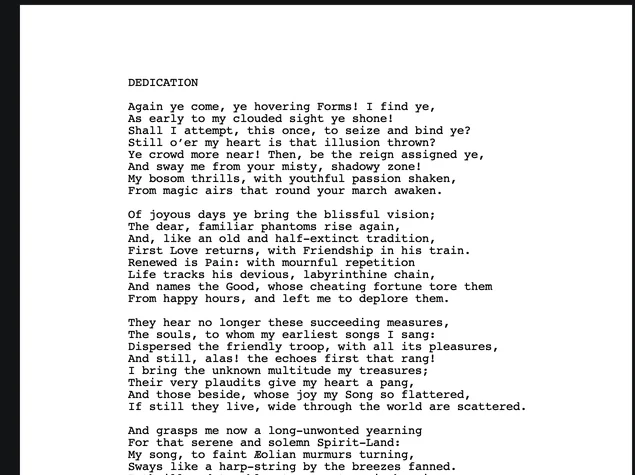
Close-up of a Faust screenplay page in Courier
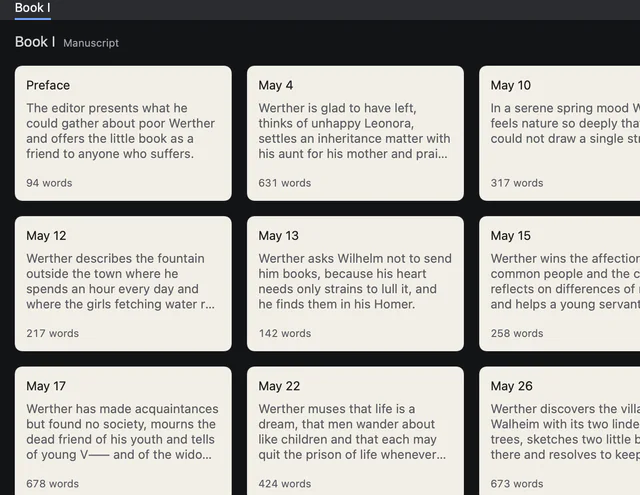
Index cards of the letters, each with title, synopsis and word count
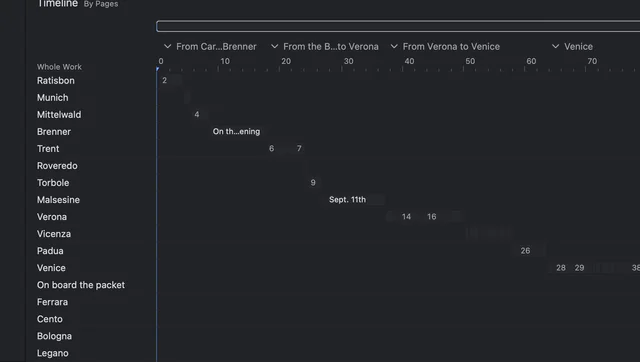
Tracks by place on the timeline: Ratisbon, Munich, Trent, Verona, Venice and more
In the handbook
- Welcome to Goethe WriteWhat Goethe Write is and who it is for, the four types of work, the window at a glance and a ten-minute tour from a new project to the first export.
- The workspace: menu bar, ribbon, sidebarThe menu bar, the nine ribbon tabs, command search, the sidebar, Inspector, Navigator, panels and the Format palette of Goethe Write, explained one by one.
- Command reference: menus and ribbonEvery command of Goethe Write from A to Z: each menu of the menu bar and every tab of the ribbon, with its shortcut, what it does and where to find it.
One project. Every page of it.
Try Goethe Write free for 14 days on your Mac. The iPhone and iPad app is free.


Try it free for 14 days on your MacSee pricingOpen the handbook