A free screenwriting app for iPhone and iPad – your scripts and projects in your hand
The free companion app brings the workspace of the Mac into your hand: screenplays on the go, your Goethe projects to read and write, and a seat in every project you are invited to.


The idea comes when the Mac is at home
On the train you finally know how the scene ends. Your script is on the Mac, and the notes app turns it into a paragraph you will have to reformat.
A screenplay has a format, and a phone keyboard is no place to type margins. Most mobile apps give you either plain text or a crippled viewer.
How the app solves it
- On the home screen Write, tap + and choose New Script – Feature Film, TV Drama, TV Comedy, Stage Play or Blank – or Import Final Draft or Fountain….
- The elements bar above the keyboard has scene heading, action, character, parenthetical, dialogue and transition. Tab and Return work as in Final Draft; a swipe changes the element.
- SmartType suggests names, places and times of day from your own script as you type.
- Share sends the script as a Final Draft file, Fountain or PDF.
A screenplay you create on the iPhone is a Final Draft file and opens on the Mac. Paragraphs you did not touch stay byte for byte as they were – edit a script from Final Draft on the iPad and hand it back without anything shifting.
The panels of the Mac, sized for the hand
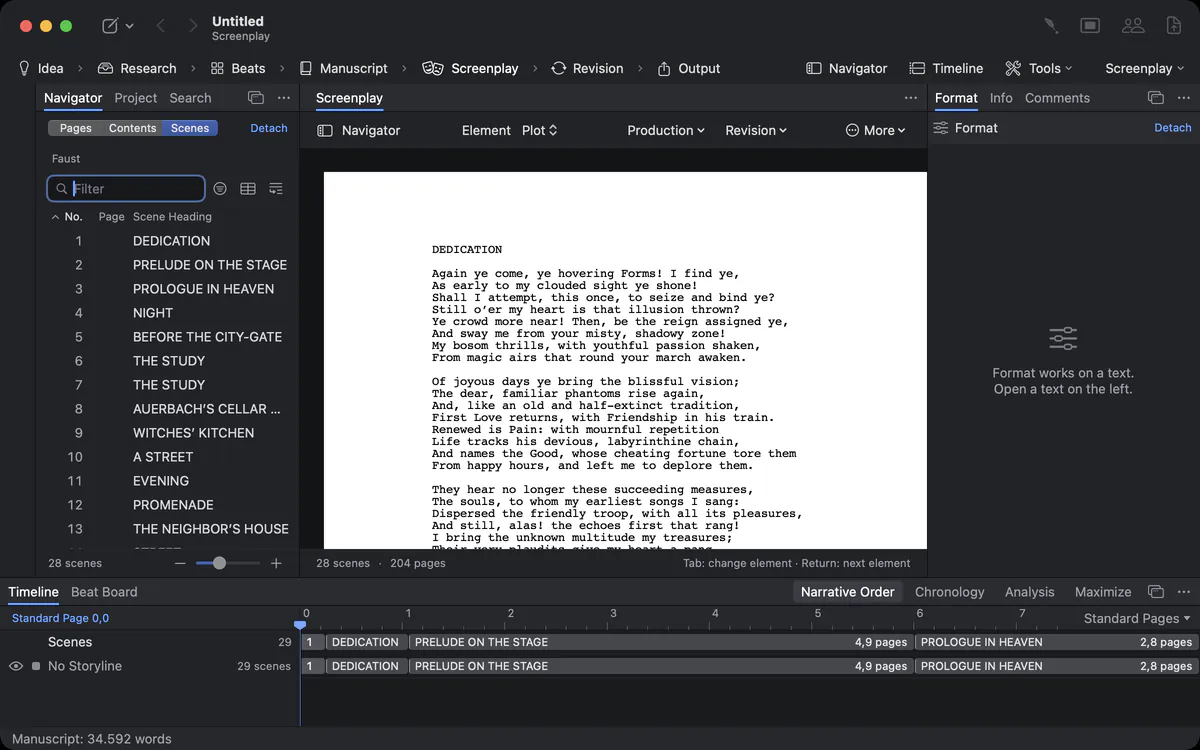
On the iPad the panels stand around the page: the navigator on the left, Format and Info on the right, Timeline and Beat Board below; switches in the top bar show and hide each area. On the iPhone they open as a sheet from below.
Your Mac projects, in your pocket
The novel is on the Mac. You want to reread chapter 12 in the waiting room.
Open Goethe Project… opens projects as the Mac saves them, with their outline, search and pages. You write plain texts with bold, italic and underline. Texts with footnotes, sources or pictures open for reading – the app says so in one sentence, so nothing is lost.
Live with the Mac, and as a guest
In the same network your iPhone or iPad shows the project open on your Mac, live, through Goethe Link: pair once by comparing six digits, and the app joins under From Your Mac. Invited to someone else’s project? Join it as a guest – free. On a shared screenplay an actor sees My Sides with the scenes and lines of her role.
Honest about the limits
So you don’t search in vain: there is no ribbon on iPhone and iPad – commands sit in a bar above the page. Page numbers of a screenplay are an estimate on the phone (about 55 lines per page), not Final Draft’s exact pagination; the Mac sets the exact pages. Revisions and the screenplay inside a Mac project are not part of the app yet.
What you need
The app is free and needs iOS 26 or iPadOS 26 or later. It writes screenplays without a purchase. Being a guest in a shared project costs nothing; hosting a project belongs to Goethe Cloud on the Mac. The app comes with a sample screenplay, The Night Ferry, to try everything.
The home screen
The home screen Write shows everything you can write on: Continue with the screenplay you worked on last and its last lines set as on the page; your project from the Mac under From Your Mac when you are linked; all Screenplays on the device with pages, scenes and format; and the Goethe Projects you have opened. A search field searches every line of every script and every text of every project. Press and hold a script to rename, share or delete it.
Where your files live
Screenplays are files on your device – in the app’s folder, visible in the Files app, so you can move them with iCloud Drive or any other storage you use. They are ordinary .fdx and .fountain files that every screenwriting program opens. Nothing is locked into the app, and nothing is uploaded unless you share it.
Questions about the iPhone and iPad app
Is the iPhone and iPad app really free?
Yes. Writing screenplays and opening your projects costs nothing. Joining shared projects as a guest is free too.
Can I open Final Draft files on the iPad?
Yes. The app opens and saves .fdx and .fountain files and keeps unchanged paragraphs byte for byte.
Does the app have exact Final Draft page breaks?
Not yet. On iPhone and iPad the page count is an estimate of about 55 lines per page. The Mac breaks pages exactly.
Can I work on the same project as my Mac?
Yes. In the same network the app shows the project open on your Mac live, through Goethe Link.
Can I write prose on the iPhone?
Yes, in Goethe projects: plain texts with bold, italic and underline. Texts with footnotes, sources or pictures open for reading, so nothing is lost.
Which screenplay templates does the app have?
Feature Film, TV Drama, TV Comedy, Stage Play and Blank.
Where are my screenplays stored on the iPhone?
As .fdx and .fountain files in the app’s folder, visible in the Files app.
Your script, wherever you are.
The iPhone and iPad app is free. On the Mac, try Goethe Write free for 14 days.
Try it free for 14 days on your MacRead the iPhone and iPad chapterSee pricing