Room for the line.
Poems and lyrics are short and take long. Goethe Write is a Mac app for long texts that serves the short ones too: a quiet page, exact line breaks, every version kept, and a collection that goes to print or e-book. It has no rhyme dictionary and no syllable counter; this page says what it does have.


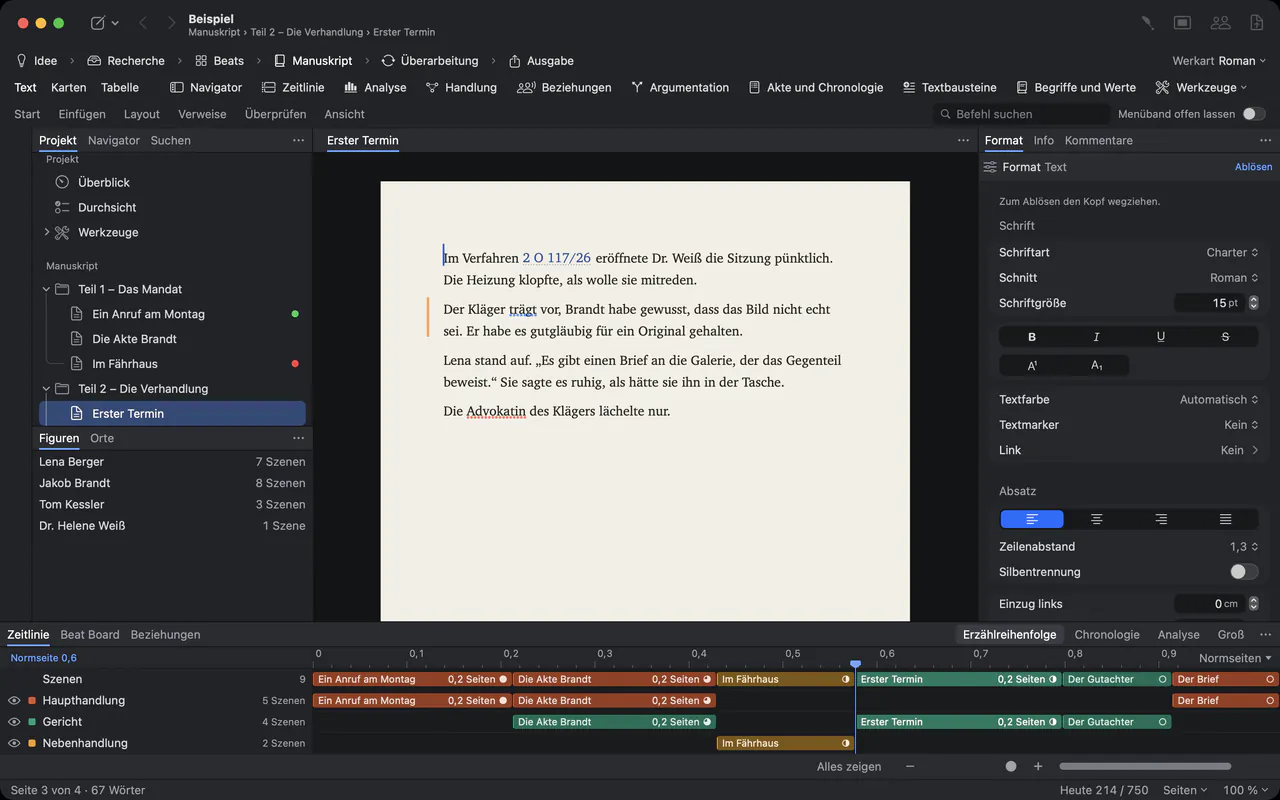
Twenty versions, and one line that matters.
Poets rewrite. The fourth draft loses a word the second one had, and the collection grows in a folder of files that nobody can put in order any more. Lyricists know the same: the verse changes after the first rehearsal, and the old version was the better one.
Goethe Write keeps every poem as a text in one project, every version beside it, and the collection in the order you choose.
On the page.
The line as you want it
Line Break (⇧↩) starts a new line in the same paragraph, so a stanza stays one paragraph with one spacing. Line spacing runs from single to double, or an exact value.
Indents on a guide
Drag a vertical guide out of the ruler, align the verses, hide it again – guides never print. Or set one by number: View ▸ Guides and Grids ▸ Set Guide ▸ New Guide …
Nothing else on screen
View ▸ Focus (⇧⌘↩) leaves only the text. View ▸ Typewriter keeps the line you are writing in the middle of the window.
Every version kept.
Before you cut a stanza, keep the poem as it is. Entry ▸ Save Snapshot stores a text inside the project; Save as Alternative keeps a variant you are only trying out.
- Compare two versionsParagraph by paragraph, with a line such as “123 words came in, 45 fell out.”
- Take back a single stanzaApply brings one paragraph from an old version into today’s text. The current text is saved as a snapshot first.
- Hear the rhythmEdit ▸ Speech ▸ Start Speaking: the Mac reads the poem aloud. It is the Mac’s voice, not a reader’s, yet a line that stumbles stands out.
- Nothing gets lostThe project saves itself, and backups are made on their own. You can bring back a single text from a backup.
From single poems to a collection.
Each poem is a text in the manuscript; folders hold the sections of a book or the songs of an album. In Cards or Table view (⌘2, ⌘3) you put them in order by dragging. Review ▸ Word Count … and a daily target show how far the collection has come. A dedication or a long poem gets a page of its own with Page Break (⌘↩), and with Pages view (⌥⌘P) you see the sheets as they will print.
File ▸ Export… (⌥⇧⌘E) turns the collection into a PDF, a Paperback with running heads, an E-Book for Apple Books and Kobo, a Word file, or a Standard Manuscript for publishers and agencies.
Song cycles and verse novels.
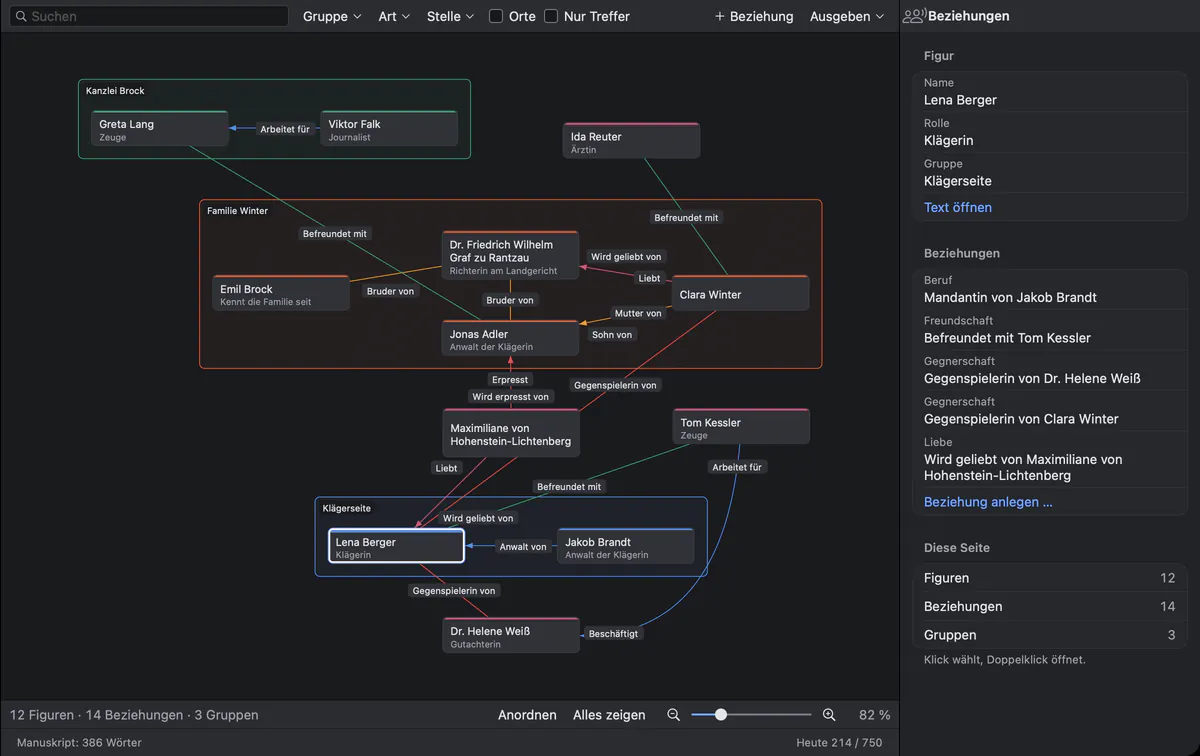
When poems tell a story – a verse novel, a song cycle, a concept album – the same figures come back. In a Novel project the relationship map shows them as cards, connected by labelled lines, and the character sheets keep what you decided about each one.
For songwriters, plainly.
Goethe Write writes words, not music. It has no chord symbols above the line, no notation and no rhyme dictionary. Lyricists use it for what words need: verse and chorus as headed sections, every version kept, and a read link for the composer or the band, whose comments come back into the project.
Writing the book of a musical? Then the page for playwrights and theatres is the right one.
Questions from poets and lyricists.
Does Goethe Write count syllables or find rhymes?
No. There is no syllable counter, no meter check and no rhyme dictionary. Word Count counts words, characters and pages.
Can I break lines without extra space between them?
Yes. Line Break (⇧↩) starts a new line inside the same paragraph, with the same format and spacing. Return starts a new paragraph, for example a new stanza.
Will the assistant write my poems?
Only if you ask it to. Goethe, the writing assistant, is optional, belongs to Goethe Cloud and works with your own key at an AI provider you choose. Without a key, Goethe Write stays offline. Every suggestion comes as a marked change that you accept or reject.
Can I make a book from my poems?
Yes. The Paperback output format sets 12 × 19 cm pages with running heads and page numbers; E-Book makes a file for Apple Books and Kobo. Page size and margins can be changed.
What does it cost?
US$79.99 once for the Mac, after 14 days free. The iPhone and iPad app is free. Goethe Cloud – read links, sharing and the assistant – costs US$4.99 a month or US$49.99 a year. For a group of five or more Macs there is Goethe Write for Teams at US$29.99 per Mac seat.
Your next poem starts here.
Try Goethe Write on the Mac for 14 days, free. For a writing school or a publisher there is Goethe Write for Teams.