Write for the stage. Rehearse with the text.
Goethe Write is a Mac app for long texts. Playwrights, dramaturgs and theatres use it to write plays with character and dialogue elements, to give actors their sides and to collect the dramaturgy’s notes in one place. One thing first: the Mac has no stage-play page format of its own yet. This page shows how plays are written today.


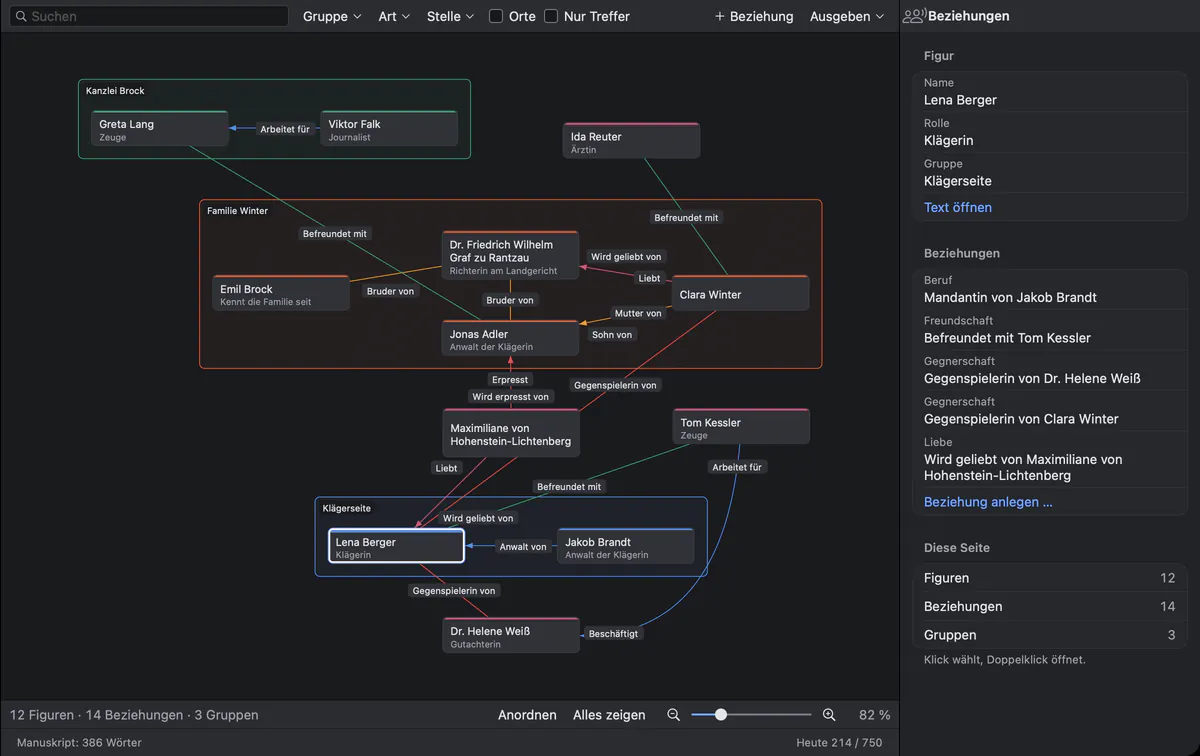
A play is more than its dialogue.
Around every play grows a pile of paper: the draft for the director, the rehearsal changes, the cast list for the casting office, a PDF for each actor, the notes from the dramaturgy. Usually all of it lives in different programs, and nobody is quite sure which version is the current one.
Goethe Write keeps the play, its characters, its versions and its readers in one project on your Mac. Here is what that looks like, including what is not there yet.
How plays are written in Goethe Write.
On the Mac, Goethe Write knows four types of work: Novel, Nonfiction Book, Law and Screenplay. A separate stage-play type with the page layout that theatre publishers print does not exist yet. We say this plainly because the format matters to you.
Most playwrights use the screenplay elements: choose Project ▸ Type of Work ▸ Screenplay. Character, Dialogue and Parenthetical work as they do on stage; the Plot element (Final Draft’s Action) carries your stage directions; a Scene Heading names the act, the scene or the place. Return and Tab move from element to element, ⌘1 to ⌘7 set one directly, and SmartType suggests the names that already speak. The pages are set like a screenplay in Courier, not in a theatre publisher’s layout.
If you prefer a free page, write the play as a manuscript: headings for acts and scenes, paragraph styles for names and directions, and Line Break (⇧↩) for dialogue in verse.
On iPhone and iPad, the free app has a Stage Play template with acts, scenes and stage directions. It saves a Final Draft file that opens on the Mac.
From the desk to the rehearsal room.
The tools a film production uses for its cast work for an ensemble just as well.
Sides for every actor
In Collaborators, give a person’s device a Role. Sides as PDF then sets every scene in which that role speaks, ready to print.
Learning lines on the iPhone
In the free iPhone app, My Sides shows an actor’s scenes with their own cues and lines marked. Learn Lines hides each line until it is tapped.
Cast and scene reports
The screenplay’s Export menu writes the Cast – every role with its scenes, speeches and words – and a Scene Report or Scene List, as text or CSV.
Rehearsal changes in colour
Revision ▸ Revision Mode gives every new line the colour and the margin mark of the current round, as revision pages do in film.
For dramaturgs and theatres.
A play changes hands many times before the premiere. These are the parts of Goethe Write that keep those hands in one project.
- Read links for the dramaturgyThe play in any browser, also on Windows. Readers can comment, and the comments arrive in your project under their names.
- Writing togetherCo-authors work in the same project at the same time; in a screenplay even in the same scene, each in their own paragraphs.
- Comments and tracked changesIn a manuscript, the dramaturg’s changes stay visible until you accept or reject them, one by one or filtered by person.
- Snapshots and alternativesEntry ▸ Save Snapshot keeps a scene as it is; an alternative holds a second ending. Compare shows what came in and what fell out.
- Hear the dialogueEdit ▸ Speech ▸ Start Speaking: the Mac reads the scene aloud, and you hear where a line does not sit.
- Final Draft and FountainOpen and save .fdx and Fountain files without converting; send a PDF to the print shop.
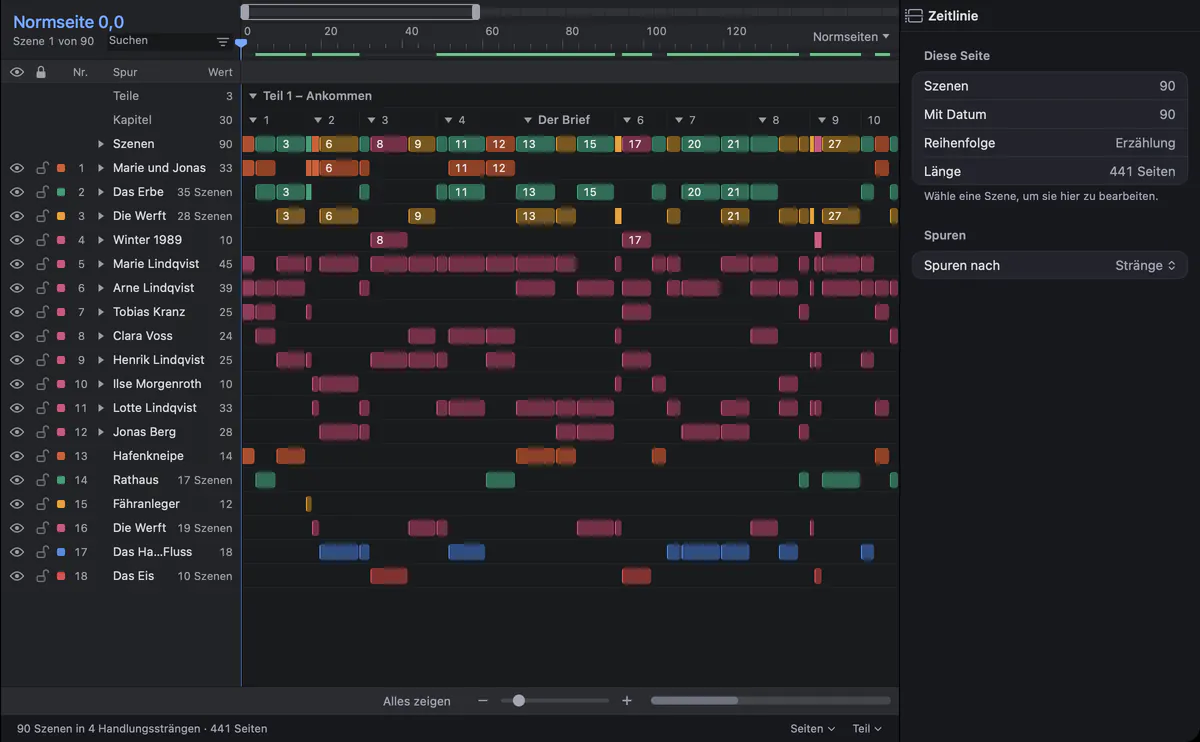
Keep every thread of the play in view.
Below the text lies the timeline: every scene as a clip, on tracks for storylines, characters and places. In a play with many entrances it shows at a glance who appears when. The scene table in the Navigator filters the scenes by character, so you can see an actor’s scenes when you plan rehearsals.
Questions from playwrights and theatres.
Is there a stage-play format on the Mac?
Not as a type of work of its own. On the Mac you write plays with the screenplay elements or as a manuscript with styles. The free iPhone and iPad app has a Stage Play template with acts, scenes and stage directions. A page layout as theatre publishers print it is not built in.
Can I bring in a play I have already written?
Yes. Final Draft and Fountain files open as screenplays. Goethe Write also imports stage plays as PDF, text, Markdown, HTML or RTF files with File ▸ Import ▸ Import Work… and recognizes acts and scenes.
Do actors need Goethe Write to get their parts?
No. Sides as PDF gives them a printed part. Actors with an iPhone can use the free app and its My Sides view; a device linked as a guest costs them nothing.
Will the assistant write the play for me?
No. Goethe, the writing assistant, is optional and belongs to Goethe Cloud. It works with your own key at an AI provider you choose. It suggests changes that you accept or reject; the play stays yours.
What does a theatre pay?
Goethe Write for the Mac costs US$79.99 once, after 14 days free. Goethe Cloud for sharing, read links and the assistant costs US$4.99 a month or US$49.99 a year; guests pay nothing. A theatre with five or more Macs can buy Goethe Write for Teams at US$29.99 per Mac seat through Apple Business Manager. The iPhone and iPad app is free.
Your next play starts here.
Try Goethe Write on the Mac for 14 days, free. For an ensemble or a whole theatre there is Goethe Write for Teams.