How to open an FDX file without Final Draft.
An .fdx file is a screenplay saved by Final Draft. You do not need Final Draft to open it: any screenwriting app that reads FDX will show it as a formatted script. Goethe Write is one of them – on the Mac it opens the file with its formatting and saves it back as .fdx, and the free iPhone and iPad app imports it too. If you only need to read the script once, asking the sender for a PDF is often quickest.


What an .fdx file is.
FDX is the file format of Final Draft. Inside, it is XML: plain text with tags that say which paragraph is a scene heading, which is dialogue, which character speaks, and how the page is set up. That is why a text editor can open it, but you will see tags, not a script.
To read it as a screenplay – Courier, indents, pages – you need an app that understands FDX. To edit it and send it back to someone who uses Final Draft, you need an app that also writes FDX without breaking what it does not know. That second part is where apps differ.
Open an .fdx file on the Mac with Goethe Write.
Writing and creating projects on the Mac need the 14-day trial or the purchase. Then:
- 1. Start a screenplay projectFile ▸ New Project… (⌘N), Empty Project, Create. Set Project ▸ Type of Work ▸ Screenplay.
- 2. Choose Import Screenplay…In the Screenplay phase, on the empty page or in the menu of the drafts. It is also in the ribbon, Screenplay tab, Screenplay group.
- 3. Pick the .fdx fileThe script appears as a draft, set on pages. Scene headings, characters and dialogue are recognised on your Mac, and nothing goes onto the network.
- 4. Read, edit, printEvery scene is listed in the Navigator. Make your changes, add notes, or print the pages as they appear on screen.
What you see once it is open.
The script on real pages, the scenes on the left, the timeline below. The example is Goethe’s Faust, set as a screenplay – your .fdx looks the same way, with the indents and margins its file asks for.
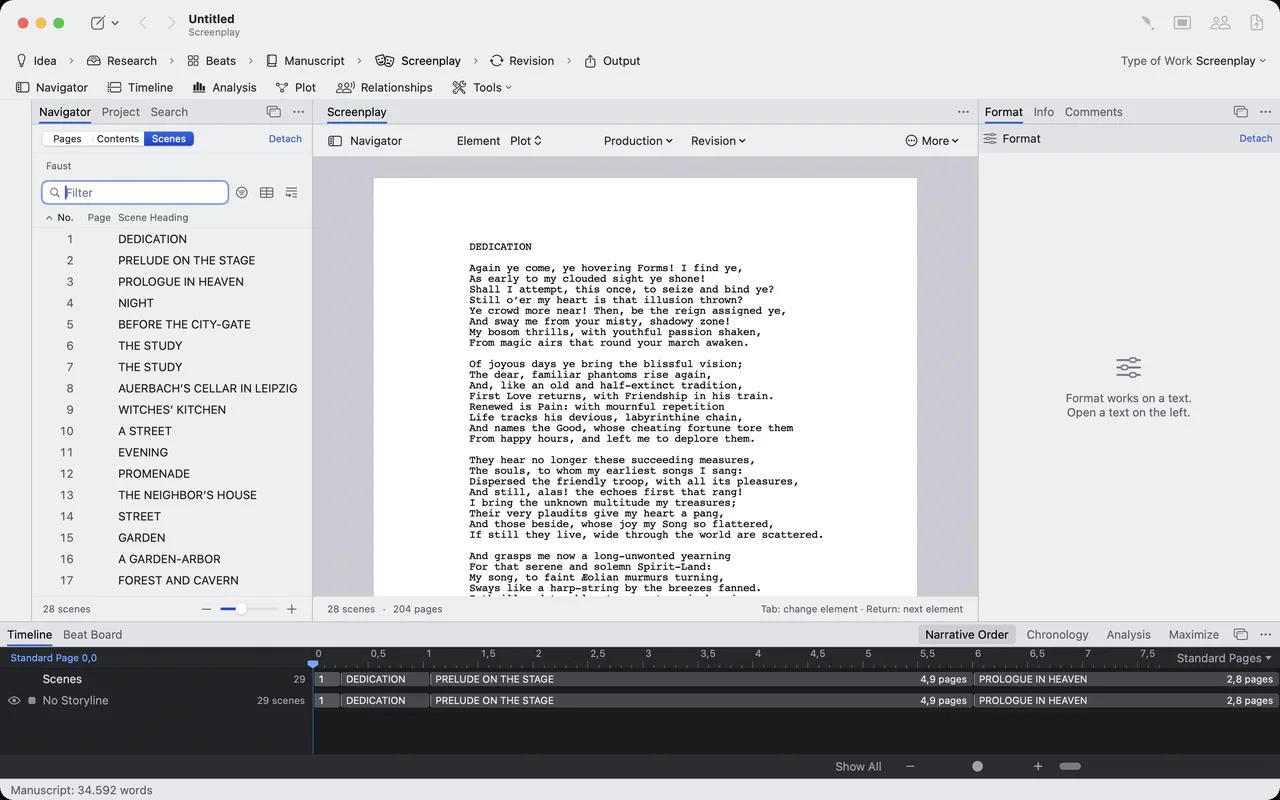
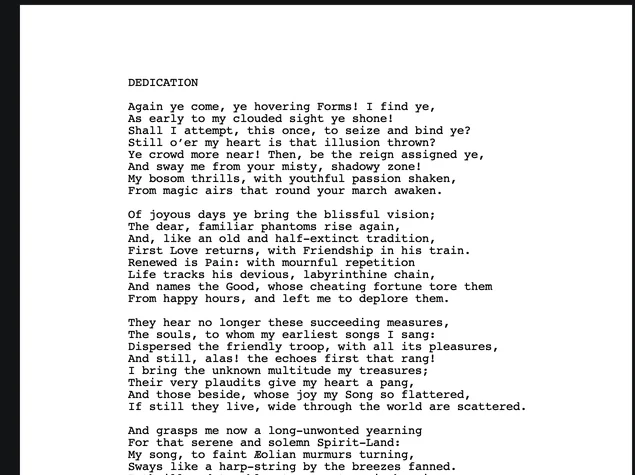
Close-up of a Faust screenplay page in Courier
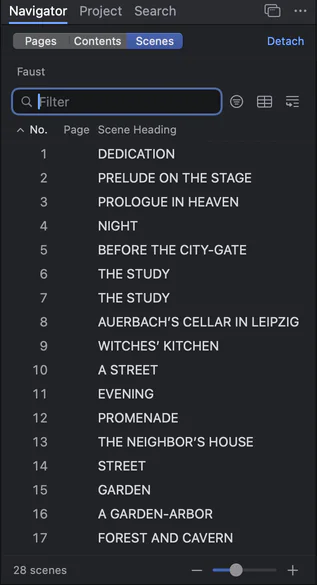
The scene navigator: numbered scenes of Faust with their headings
What comes in with the file.
Goethe Write reads an FDX file so that it can write it back as it was. Nothing is flattened into plain text on the way in.
- Formatting
- Indents, font, element settings, page margins and the title page.
- Working lists
- SmartType lists of characters, places and times, plus the names Goethe Write finds in the text.
- Revisions
- Revision sets with their colours and marks.
- Keyboard
- Tab and Return behave as the file’s element settings say.
- What the app does not know
- Passed through as its bytes, so it is still there when the file goes back.
For safety, a file with a document type declaration (DOCTYPE) is not read at all; Final Draft never writes one. A file that is not valid XML is refused, with line and column.
Open an .fdx file on iPhone or iPad, free.
The Goethe Write app for iPhone and iPad is free, and writing there needs no purchase.
- ImportTap + ▸ Import Final Draft or Fountain… and pick the file. The app makes a copy; if the file is not a valid script, it tells you so.
- WriteThe page is set like a Final Draft page, with the element bar above the keyboard, Tab and Return as in Final Draft, and SmartType.
- Send it onThe Output menu shares the script as Final Draft (.fdx), Fountain or PDF. Untouched paragraphs stay byte for byte as they were.
- Know the limitsOn iPhone and iPad the page count is an estimate of about 55 lines per page, not Final Draft’s exact pagination, and there are no revisions yet. For exact pages, use the Mac.
Other apps that open .fdx files.
Goethe Write is not the only way. These apps read FDX according to their makers’ own pages; most of them write it as well. Pick the one that fits your system and how often you need it.
| App | Systems | FDX | Price model |
|---|---|---|---|
| Goethe Write | Mac; free app for iPhone and iPad | Opens and saves; unchanged paragraphs go back byte for byte | US$79.99 once on the Mac, 14 days free |
| Final Draft 13 | Mac, Windows | Its own format | One-time purchase or subscription |
| Fade In | Mac, Windows, Linux | Opens and saves | US$79.95 once; a free demo with a watermark |
| WriterDuet | Browser; desktop apps on paid plans; iOS, Android | Imports and exports | Free plan (three projects); subscriptions |
| Arc Studio | Mac, Windows, iPhone, iPad, browser | Imports and exports | Free plan; yearly plans |
| StudioBinder | Browser | Imports; exports PDF and its own file | Free plan; subscriptions |
| Slugline | Mac, iPhone, iPad | Imports; exports with the in-app purchase | Free for six pages; US$49.99 once |
Checked on 13 November 2026 (Final Draft on 12 November 2026) on the makers’ websites. All names are trademarks of their owners; Goethe Write is not affiliated with any of them.
Send it back the way it came.
When you are done, the script goes back as .fdx. In the head of the Screenplay phase choose Export ▸ Final Draft (.fdx), or use Save As in the ribbon’s Export screenplay group, or the row Final Draft (.fdx)… in the Output phase.
- Only your changes are newA piece that has not changed goes out with its old bytes. The sender’s format settings come back unchanged.
- You are told before anything is lostIf the file cannot hold something, the sheet Export with Changes? lists it and how often – Final Draft sets only two voices side by side in a dual dialogue, for example. Export Anyway or Cancel.
- PDF for readersExport ▸ PDF gives the same pages as on screen; PDF with title page adds the title page in front.
From the open script to the file you send.
One menu holds every way out: Final Draft, Fountain, PDF and the reports. The clip shows the app moving from the text to the export.

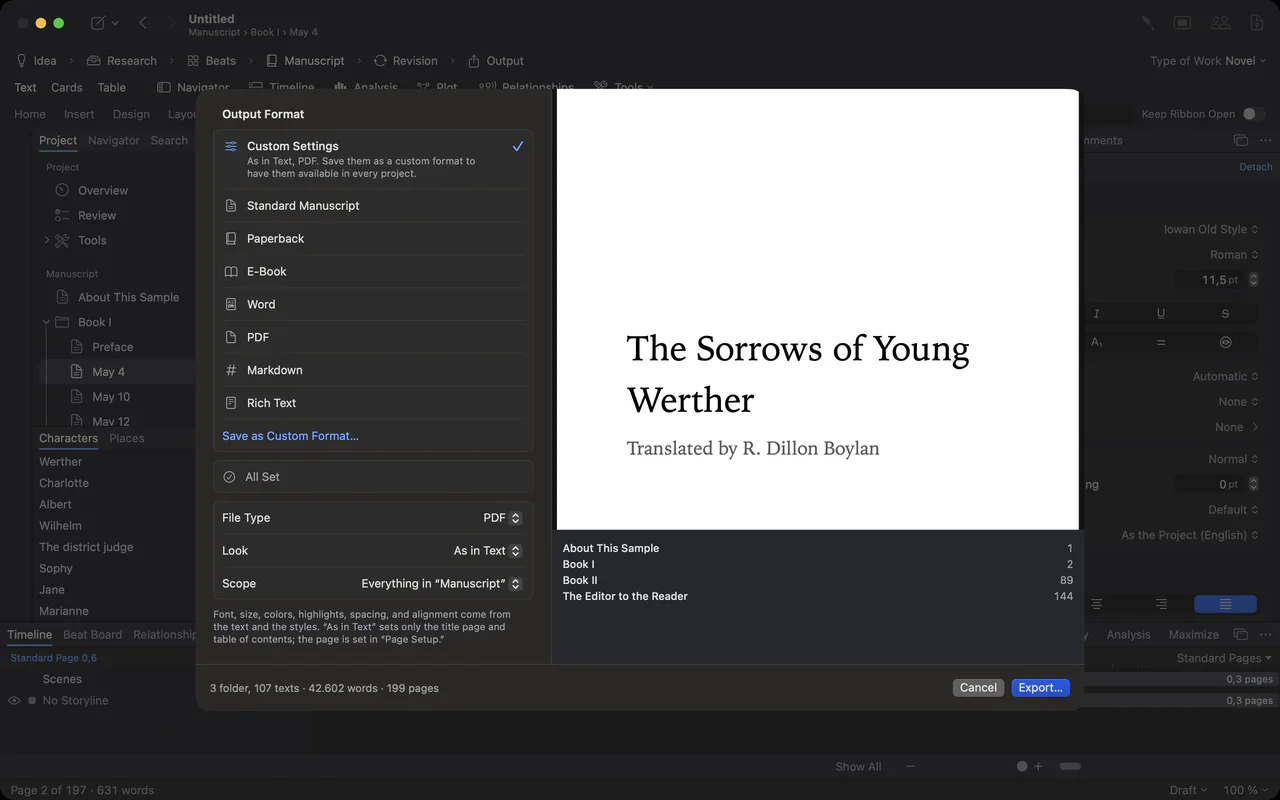
The export sheet: output formats on the left, the title page as a live preview on the right
When an .fdx file will not open.
Check that it really is an .fdx from a screenwriting app and that it arrived complete; a file cut off in an email is no longer valid XML, and Goethe Write names the line and column where it stops. A file with a DOCTYPE line is refused on purpose. If you only have a PDF of the script, Import Screenplay… reads that too, as long as it contains readable text: the wording comes in, the PDF’s page layout does not.
Questions about .fdx files.
Can I open an .fdx file without Final Draft?
Yes. Any screenwriting app that reads FDX shows it as a formatted script – Goethe Write, Fade In, WriterDuet, Arc Studio and others. A plain text editor opens it too, but shows XML tags instead of a script.
Is there a free way to open an .fdx file?
The Goethe Write app for iPhone and iPad is free and imports .fdx files. On the Mac, Goethe Write has 14 days free; after that, bringing in a new script needs the one-time purchase or Goethe Cloud. Several other apps have free plans with limits; see the table above. Or ask the sender for a PDF.
Can I edit the file and send it back to a Final Draft user?
Yes. Goethe Write saves as .fdx again. Paragraphs you did not change leave the file exactly as they came in, and its format settings are kept.
Does Goethe Write send my script anywhere when I open it?
No. The file is read on your Mac or your iPhone or iPad; nothing goes onto the network.
Can I turn an .fdx file into a PDF?
Yes. Import it, then choose Export ▸ PDF or PDF with title page. The PDF has the same pages as on screen. Custom headers and footers and a different starting page number from the FDX file are not carried over to the PDF yet.
Is Goethe Write available now?
Yes. It is on the Mac App Store, and the iPhone and iPad app is free in the App Store.
Open the script. Send it back intact.
Goethe Write for Mac: 14 days free, then US$79.99 once. Free on iPhone and iPad.