A Final Draft alternative for Mac that keeps your .fdx files.
If you want to leave Final Draft on the Mac, the hard part is not the typing – it is the files. Goethe Write opens .fdx files with their formatting, sets pages by the rules Final Draft 13 applies, and saves them back so that every paragraph you did not touch leaves exactly as it came in. Available now on the Mac App Store: US$79.99 once, 14 days free.


What to look for in a Final Draft alternative.
Most screenwriters who switch still work with people who use Final Draft: producers, agents, co-writers, a production office. So the first questions are not about features. They are about whether your scripts survive the trip in both directions. Here is a short list to check any app against, with Goethe Write’s answer next to each point. Judge for yourself.
- It opens .fdx without a conversion stepGoethe Write reads FDX directly and keeps indents, font, element settings, page margins, the title page, SmartType lists and revisions.
- It writes .fdx back without damageOnly paragraphs you changed are written anew. A file you open and save without a change is the same file, byte for byte; blocks the app does not understand are passed through.
- The page count matchesPages break by the rules Final Draft 13 applies, with (MORE) and (CONT’D), on US Letter (54 lines) and A4 (58 lines). It was checked against Final Draft’s own PDFs – a single page can still break differently, so check before a schedule depends on it.
- Your keyboard habits still workTab and Return behave as your file records them in Final Draft’s element settings; ⌘1 to ⌘7 choose the elements. There is nothing to relearn.
- Revisions the production knowsRevision sets with colours, marks in the margin and page colours, starting with the nine sets Final Draft offers.
- A price model you can live withUS$79.99 once on the Mac. A subscription only if you want to work with others over the internet.
The page you know, on a Mac app built for today.
Courier 12 point, fixed indents, scene headings, action, character, parenthetical, dialogue and transition where Final Draft puts them. The Navigator lists every scene with number, page and heading; the timeline below shows how long each one runs. The example is Goethe’s Faust, set as a screenplay.
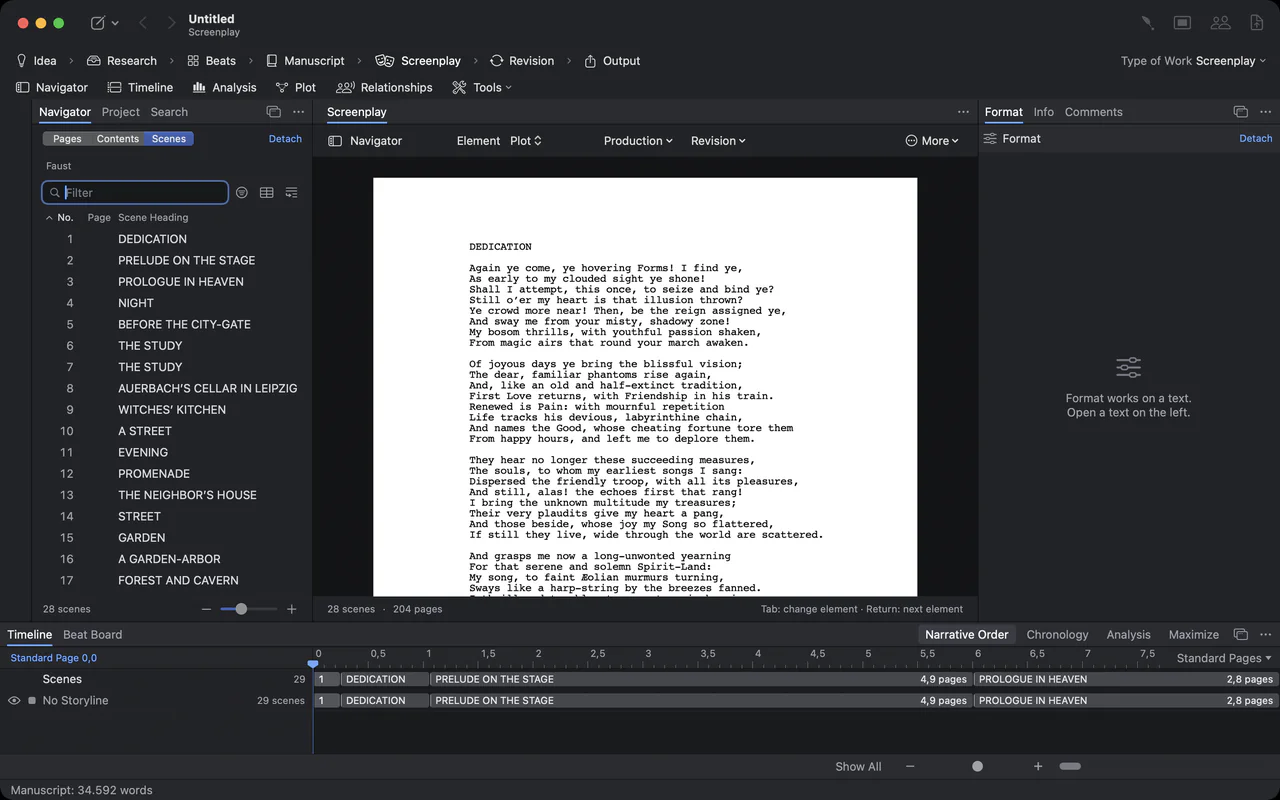
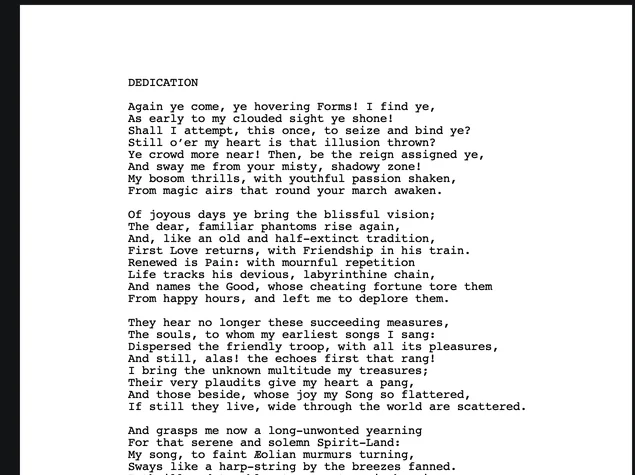
Close-up of a Faust screenplay page in Courier
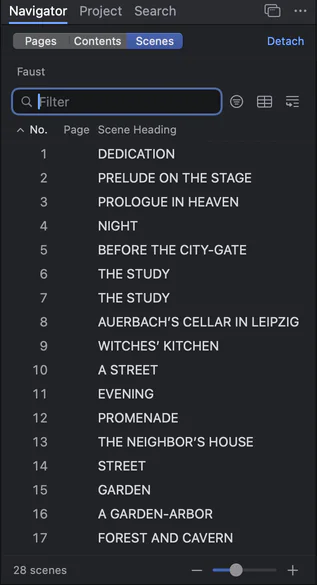
The scene navigator: numbered scenes of Faust with their headings
Your first .fdx in Goethe Write, step by step.
Switching takes a few minutes per script. Nothing is converted, and your original file stays where it is.
- 1. Create a screenplay projectFile ▸ New Project… (⌘N), choose Empty Project and click Create. Then set Project ▸ Type of Work ▸ Screenplay; the phase bar now shows the Screenplay phase.
- 2. Import the scriptIn the Screenplay phase choose Import Screenplay… – on the empty page or in the menu of the drafts. The same command is in the ribbon (Screenplay tab, Screenplay group) and under Project ▸ Screenplay.
- 3. Pick your .fdxScene headings, characters and dialogue are recognised on your Mac; nothing goes onto the network. Every scene also appears as a text in the Manuscript, every speaking name under Characters – all one step for ⌘Z.
- 4. WriteElements, SmartType, dual dialogue, the title page, scene numbers and revision mode work as you expect. Several drafts – first draft, studio draft, shooting script – live in one project.
- 5. Send it back as .fdxExport ▸ Final Draft (.fdx) in the head of the screenplay, or Save As in the ribbon’s Export screenplay group. If the target format cannot hold something, the sheet Export with Changes? lists it before anything is written.
Handbook: writing a screenplay Opening .fdx files without Final Draft
Goethe Write next to Final Draft, for a switch.
Only the points that matter when you move your scripts. The full comparison, with every source, is on its own page.
| Goethe Write | Final Draft 13 | |
|---|---|---|
| Availability | On the Mac App Store | Available now |
| Systems | Mac (macOS 15 or later); free app for iPhone and iPad | Mac (macOS 12 or later) and Windows (11 or later); a separate app, Final Draft Go, for iPhone and iPad |
| Pricing model | US$79.99 once on the Mac, 14 days free; Goethe Cloud for working together: US$4.99 a month or US$49.99 a year | One-time purchase or subscription |
| Final Draft files (.fdx) | Opens and saves .fdx; unchanged paragraphs are written back exactly as they came in | Its own format |
| Fountain files | Opens and saves .fountain | Not opened directly; the maker describes importing Fountain text saved as a .txt file |
| Page breaks | By the rules Final Draft 13 applies, with (MORE) and (CONT’D) | The reference |
| Production pages | Revision sets and scene numbers today; locked pages and A and B pages are still to come | Part of the app |
| Collaboration | Same network without the internet, or over the internet; only the person who invites needs Goethe Cloud – guests are free | Real-time collaboration in Final Draft 13; every participant needs Final Draft 13 and a licence of their own |
Sources: Final Draft 13 product page, Final Draft: real-time collaboration, Final Draft: importing Fountain.
Final Draft facts checked on 12 November 2026 on finaldraft.com and in Final Draft’s knowledge base. Final Draft is a registered trademark of its owner; Goethe Write is not affiliated with it. The full comparison.
What Final Draft still does better.
Be clear about this before you switch. Final Draft and Goethe Write are both available today. Final Draft runs on Windows as well as the Mac, so a mixed team stays in one app. Locked pages and A and B pages for the production draft are part of Final Draft; in Goethe Write they are planned but not built.
Final Draft’s pagination is the reference the industry measures against. Goethe Write follows its rules and was checked against Final Draft’s PDFs, but if a schedule depends on a page number, compare it once in Final Draft. Custom headers and footers and a different starting page number from an FDX file are not yet carried over to Goethe Write’s PDF; the app says so before it writes. On iPhone and iPad the page count is an estimate, and there are no revisions there yet.
If you are deep in a production that runs on Final Draft, staying is a reasonable choice. Goethe Write will still read and write the same files when you are ready.
What you get beyond the script.
Goethe Write is one app for screenplays and books. That changes what a switch is worth.
Novel and adaptation in one project
Create from Manuscript turns every scene of a novel or treatment into a scene heading with its text as action. The source stays beside the script.
Plan before you write
Beat Board, index cards, an outline table, a timeline with one track per storyline, and a relationship map of the cast.
Guests pay nothing
Whoever shares the project has Goethe Cloud; invited co-writers work for free, in the same network or over the internet, end-to-end encrypted.
Free on iPhone and iPad
The companion app writes screenplays in Final Draft and Fountain format and imports both. Read links bring the script to anyone with a browser.
Scenes, drafts and reports in one place.
The Navigator switches between pages, contents and the scene table. Sort scenes by length, characters, location or time of day; output a Scene Report, a Scene List as CSV and the Cast for the production office.


The timeline under the screenplay: Dedication, Prelude on the Stage and Prologue in Heaven as clips with their page lengths
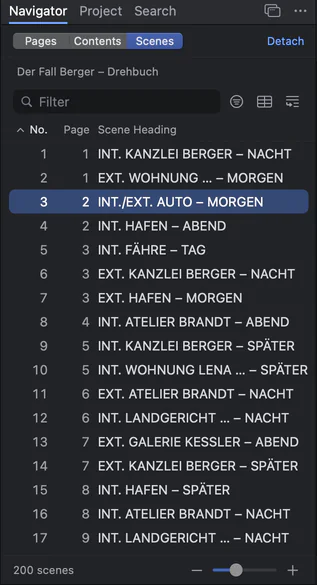
The scene navigator of a long screenplay with 200 scenes
Questions before you switch.
Can I open my old Final Draft scripts in Goethe Write?
Yes. Import Screenplay… in the Screenplay phase reads .fdx files with their indents, font, element settings, margins, title page, SmartType lists and revisions. Your original file is not changed.
Will a producer who uses Final Draft notice anything when I send the file back?
Paragraphs you did not change go out with their old bytes, and format settings from the file are kept. A file you open and save without a change is the same file, byte for byte. If something cannot be written to FDX – more than two voices in a dual dialogue, for example – Goethe Write tells you before it saves.
Are the page counts the same as in Final Draft?
Goethe Write breaks pages by the rules Final Draft 13 applies and was checked against Final Draft’s own PDFs. In individual cases a page may still break differently. If you rely on a page number for a schedule, compare it once in Final Draft.
Does Goethe Write run on Windows?
No. Goethe Write is a Mac app (macOS 15 or later) with a free companion app for iPhone and iPad. If you need Windows, Final Draft or another app that runs there is the better fit.
What does switching cost?
Goethe Write for Mac is a one-time purchase of US$79.99, with 14 days free on the Mac. Goethe Cloud, at US$4.99 a month or US$49.99 a year, adds working together over the internet, read links and Goethe, the assistant, with your own AI key. Studios buy Teams seats at US$29.99 per Mac, from five seats.
Is Goethe Write available now?
Yes. It is on the Mac App Store, and the iPhone and iPad app is free in the App Store.
Bring your scripts. Keep your files.
Try Goethe Write free for 14 days on the Mac, then buy it once for US$79.99. Add Goethe Cloud only when you want to write with others.