Standard manuscript format software: write how you like, submit in format.
Standard manuscript format software sets your book the way agents and publishers expect, so you don’t reformat it by hand. In Goethe Write it is one choice in the export: for an English project, Standard Manuscript gives you 12 pt, double spacing, one-inch margins, and name, title and page number at the top right. For a German project, the same choice sets the Normseite.


What Standard Manuscript sets in an English project.
Choose File ▸ Export… (⌥⇧⌘E) and, at the top of the dialog, the output format Standard Manuscript. The dialog sets everything to match and shows real pages on the right before anything is written.
- Type size
- 12 point
- Spacing
- Double-spaced
- Margins
- One inch all round
- Header
- “Name / Title” and the page number at the top right
- Paper
- US Letter if your Mac measures in inches, otherwise A4
- Your text
- Untouched – the format is applied to the export, not to your project
In the app’s own words: “For agencies and publishers in the English-speaking world: 12 pt, double-spaced, one-inch margins, name, title, and page number at the top right.”
One choice, two conventions: the language of your project decides.
What Standard Manuscript means depends on the language of your project. For an English project it is the standard manuscript of English-language publishing, as above. For a German project it is the Normseite: 30 lines of 60 characters, name and title in the header, as a PDF in a typewriter face – the measure German publishers, agencies and translators count in.
The language of your text is set per project, separately from the language of the menus. A German novel written under an English interface still gets its Normseite.
For other languages the handbook describes no convention of their own yet; standard pages by country are planned, not built. Until then, set the page the way your publisher asks and save it as a custom output format.
Guide: standard manuscript format Guide: the Normseite (in German)
The usual manuscript chores, and where they went.
Most of the work of a submission manuscript is not the margins. It is the small things that go wrong at midnight. This is how Goethe Write handles them.
- Every agent wants it slightly differentSet file type, look and page once, click Save as Custom Format… and give it a name. It appears in the list of output formats for every project on this Mac.
- Writing double-spaced is no pleasureYou don’t have to. Write in Draft or on Pages in the font you like. The export sets the whole text anew in the size and spacing of the manuscript; your project stays as it is.
- Scene breaks that surviveUnder Between Texts the export offers a centred #, as manuscripts for agencies have it, or * * *, ⁂ or a mark of your own. With Headings from Titles ▸ Folders Only your chapters become headings and the scenes run on.
- Chapters on a new pageChapters on New Page starts every chapter on a fresh page in PDF and Word.
- Name and title in one placeEnter them once under Project ▸ Project Info…: title, subtitle and name appear on the export’s title page and in the properties of the PDF and Word file.
- A title page of your ownMake the first text of the manuscript a text called “Title Page” or “Cover”, and the export uses it exactly as you set it.
- Not everything is for the agentEvery entry has In Export. Untick your notes, an alternative scene or a draft chapter: they stay in the project and out of the manuscript.
- A mistake found too lateUnder Before Exporting the dialog lists what would come out wrong – an empty text, a missing value, a broken cross-reference. A click takes you to the spot.
The manuscript, previewed before it leaves.
On the left you set the format, on the right you see the real pages. Nothing is written until you press Export…. Sending copies to several readers? File ▸ PDF per Recipient… writes one PDF for each name on the list, each with its own watermark.

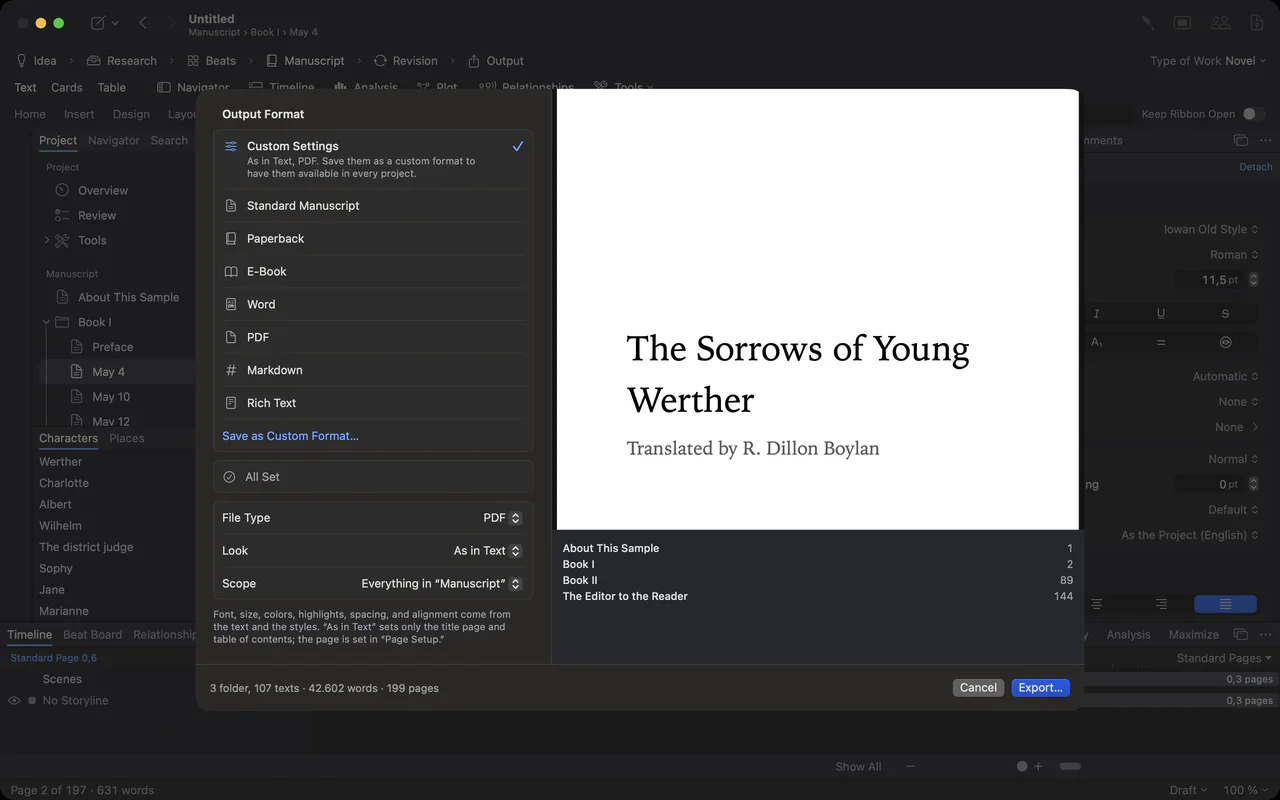
The export sheet: output formats on the left, the title page as a live preview on the right
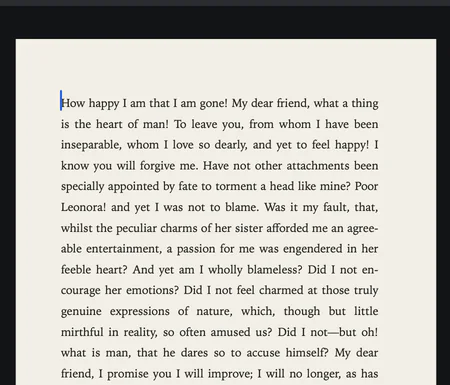
Close-up of a typeset manuscript page in a book face, justified
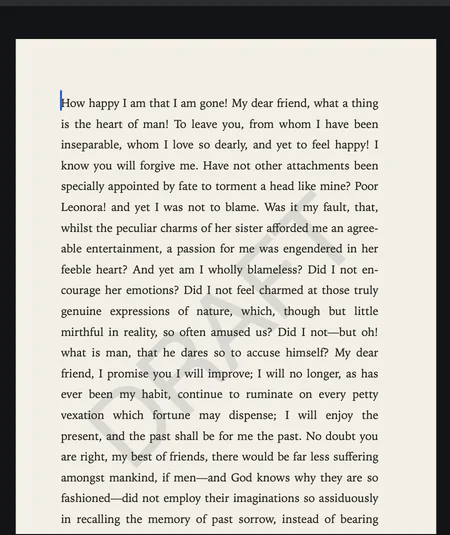
A page with a faint DRAFT watermark behind the text
Write in your layout. Submit in theirs.
Formatting lives in styles, not in single paragraphs: a chapter heading is a chapter heading because of its style. That is why the export can turn the same text into a standard manuscript, a paperback or an e-book without you touching a line.
If you would rather write on the Normseite itself, File ▸ Page Setup… has the preset Standard Manuscript Page A4 under Presets, set so that 30 lines of 60 characters in Courier New 12 pt fit exactly.

The style gallery: Body Text, Chapter, Subchapter, Section and Block Quote, each shown in its own type
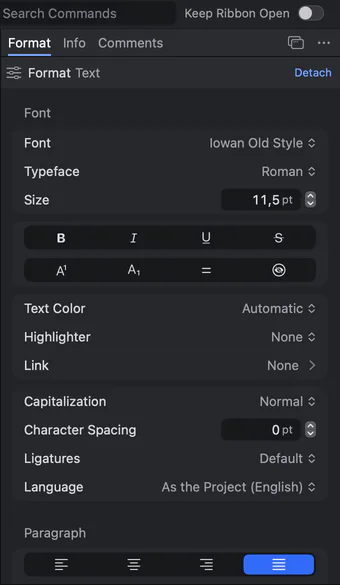
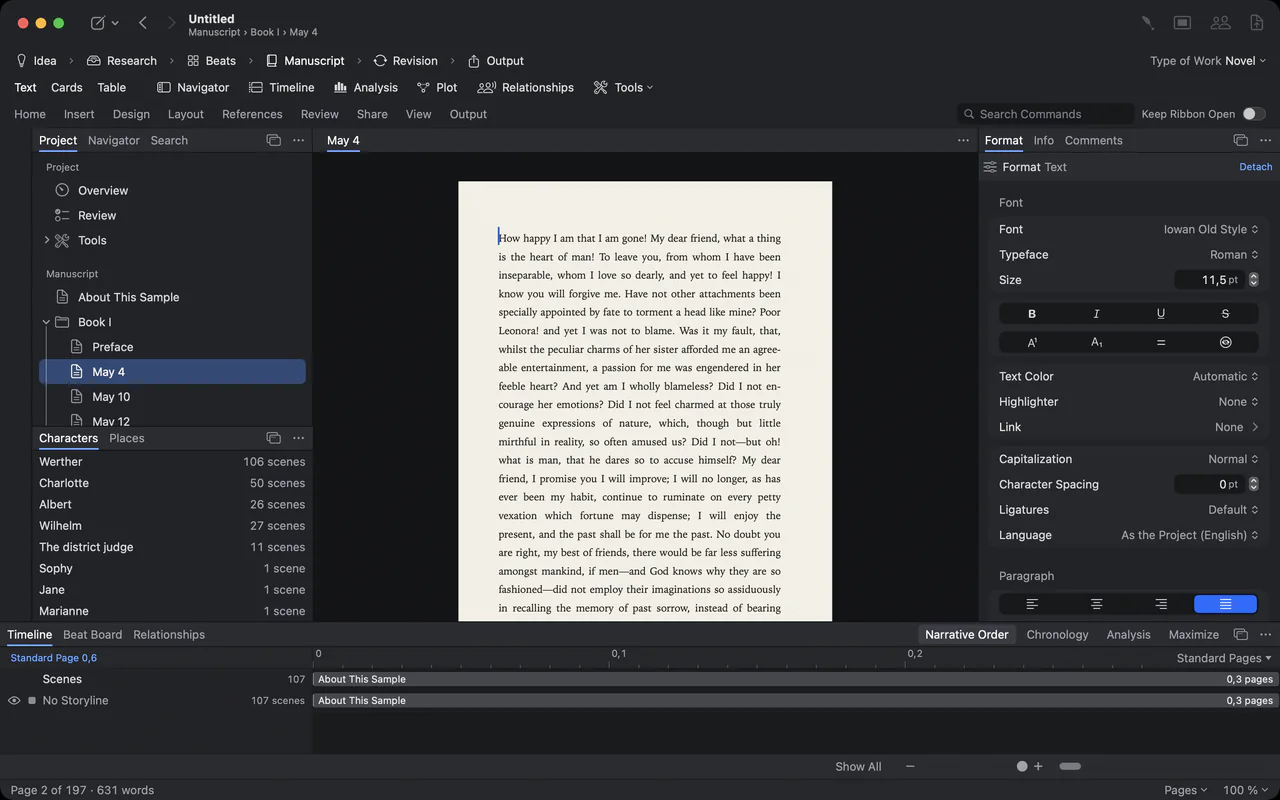
The Format panel: typeface, size, text colour, capitalization, character spacing, ligatures and language

The Format panel docked at the right edge, then floating as its own palette
See your book as a manuscript.
14 days free on the Mac. Import your Word file, choose Standard Manuscript and look at the preview.
How other tools get a manuscript into format.
Any word processor can produce a standard manuscript if you set it up by hand. Here is what the makers of popular writing tools publish about format and output – including what they do better.
| How the format is made | Systems | Price model | |
|---|---|---|---|
| Goethe Write | Ready-made output formats: Standard Manuscript for English projects, Normseite for German ones; your own formats saved by name | Mac (macOS 15 or later); free companion app for iPhone and iPad | US$79.99 once, 14 days free |
| Scrivener 3 | You write in an editor and compile the finished document; exports Word, RTF, PDF, EPUB, Kindle and more | Mac, Windows, iPhone and iPad | A separate licence for each system |
| Papyrus 12 | Book designer for pages and text; Normseiten; print-ready PDF with a CMYK colour profile | Windows and macOS in one licence | €349 once; €149 as an upgrade from Papyrus Autor |
| Vellum | A book formatter for finished manuscripts: validated EPUB and print PDF (PDF/X-1a) | Mac only | US$199.99 or US$249.99 once |
| Atticus | 17 formatting templates and a theme builder; exports EPUB, PDF and Word | A web app on Windows, Mac, Linux and tablets | US$147 once |
Sources: Scrivener overview, Papyrus: prices, Papyrus: publishing, Vellum: home, Atticus: home.
Checked 13 November 2026 on papyrus.de, vellum.pub and atticus.io; Scrivener on 12 November 2026 on literatureandlatte.com. All names are trademarks of their owners; Goethe Write is not affiliated with them.
Where others are ahead.
Papyrus sets Normseiten too, runs on Windows and the Mac in one licence and writes print-ready PDF with a CMYK colour profile; in Goethe Write, PDF/X is planned but not built. Vellum and Atticus are made for the book interior, with more trim sizes and design templates. Scrivener also runs on Windows.
If you write on the Mac and want the plan, the text and the submission manuscript in one project, bought once, Goethe Write is worth a look. Compare in detail with Papyrus and Scrivener, or read how to write a whole book on the Mac.
The agent’s guidelines always win.
There is no single official standard manuscript format. Agencies and publishers publish their own submission guidelines – a font, a page limit, a synopsis – and those come first. Goethe Write gives you the common format in one step and lets you change any part of it.
For the rest of a submission – query letter, synopsis, sample pages, file names – read preparing a manuscript for submission. For the format in detail: standard manuscript format and, for German publishers, the Normseite.
Questions about manuscript format.
Does Goethe Write put a manuscript into standard manuscript format automatically?
Yes, at export. Choose File ▸ Export… and the output format Standard Manuscript. In an English project it sets 12 pt, double spacing, one-inch margins, and name, title and page number at the top right. Your project itself is not changed.
What is the difference between standard manuscript format and the Normseite?
Standard manuscript format is the convention of English-language publishing. The Normseite is the German one: 30 lines of 60 characters per page. In Goethe Write the same output format gives you one or the other, depending on the language of your project.
Can I adjust the format for one agent?
Yes. Change file type, look or page in the export dialog and save the combination with Save as Custom Format…. It is then available in every project on this Mac.
Can I export the manuscript as a Word file?
Yes. Goethe Write writes .docx with headings, footnotes, headers, footers and page numbers. PDF, EPUB, Markdown and RTF are there as well.
What about manuscripts in French, Spanish or Portuguese?
The handbook describes the English standard manuscript and the German Normseite. Standard pages for other countries are planned, not built. Until then, set paper, margins and spacing as your publisher asks and save them as a custom output format.
Is Goethe Write available now?
Yes. It is on the Mac App Store, with 14 days free on the Mac and a one-time purchase of US$79.99. The app for iPhone and iPad is free.
Spend the evening writing, not reformatting.
Try Goethe Write 14 days free on the Mac, then keep it for US$79.99 once. Goethe Cloud – US$4.99 a month or US$49.99 a year – adds read links for your first readers, writing together and Goethe, the assistant, with your own AI key. Agencies and publishers equip teams for US$29.99 per Mac seat, from five seats.