Writers’ room software: write the same scene together, and only one person pays
Collaborative screenwriting software has to let several writers work in one script at the same time without overwriting each other. In Goethe Write, one Mac shares the project and the others join as guests: each writer holds their own paragraphs, even in the same scene. Guests write for free on Mac, iPhone or iPad. Producers read and comment through a link in any browser. Revision sets and scene numbers keep the drafts in order. Only the person who shares needs Goethe Cloud.


What a writers’ room needs from software.
Whether it is a TV room, a writing partnership, a sketch team or a game studio’s narrative group: the questions are the same.
- Writing at the same timeNot taking turns. Two writers in the same scene, one on action, one on dialogue, without losing a word.
- Clear rightsWho may write, who only reads, and in which project – decided by whoever runs the room, and changeable in a second.
- Cost per extra writerIf every collaborator needs a paid licence, a room of eight gets expensive. Check who has to pay.
- Readers without installingProducers, executives and actors should read the current draft in a browser, and their notes should come back into the script.
- Production disciplineRevision sets with colours and marks, scene numbers that stay put, several drafts in one project.
- PrivacyAn unpublished script is valuable. Know who can read it on the way between the devices.
How writing together works in Goethe Write.
The Mac that has the project open is the host; it holds the files and decides. Everyone else joins as a guest. Writing together runs over Goethe Link, in the same network without the internet or over the internet through Goethe Cloud.
1. Save the project and click Collaborators in the toolbar. 2. In the room, turn on Share on the same network, click Pair Device… and compare six digits on both screens; if they match, nobody is in between. 3. For writers elsewhere, turn on Share over the Internet and click Invite to Write or Invite to Read: a link that works once, for seven days, and that you can Withdraw. 4. A new device starts by reading; May Write in the person’s menu lets it write, project by project.
Guests open a shared project with File ▸ Open Project from Network… in the same network, or simply click the invitation link.
The same scene, paragraph by paragraph.
In a screenplay Goethe Write lends paragraphs, not whole texts. Each writer holds the paragraphs they type, and new paragraphs after their own belong to them until they move on. A coloured bar with their name stands beside the page – on the desk, never over the text. One writer takes the action, the other the dialogue, and nothing is overwritten.
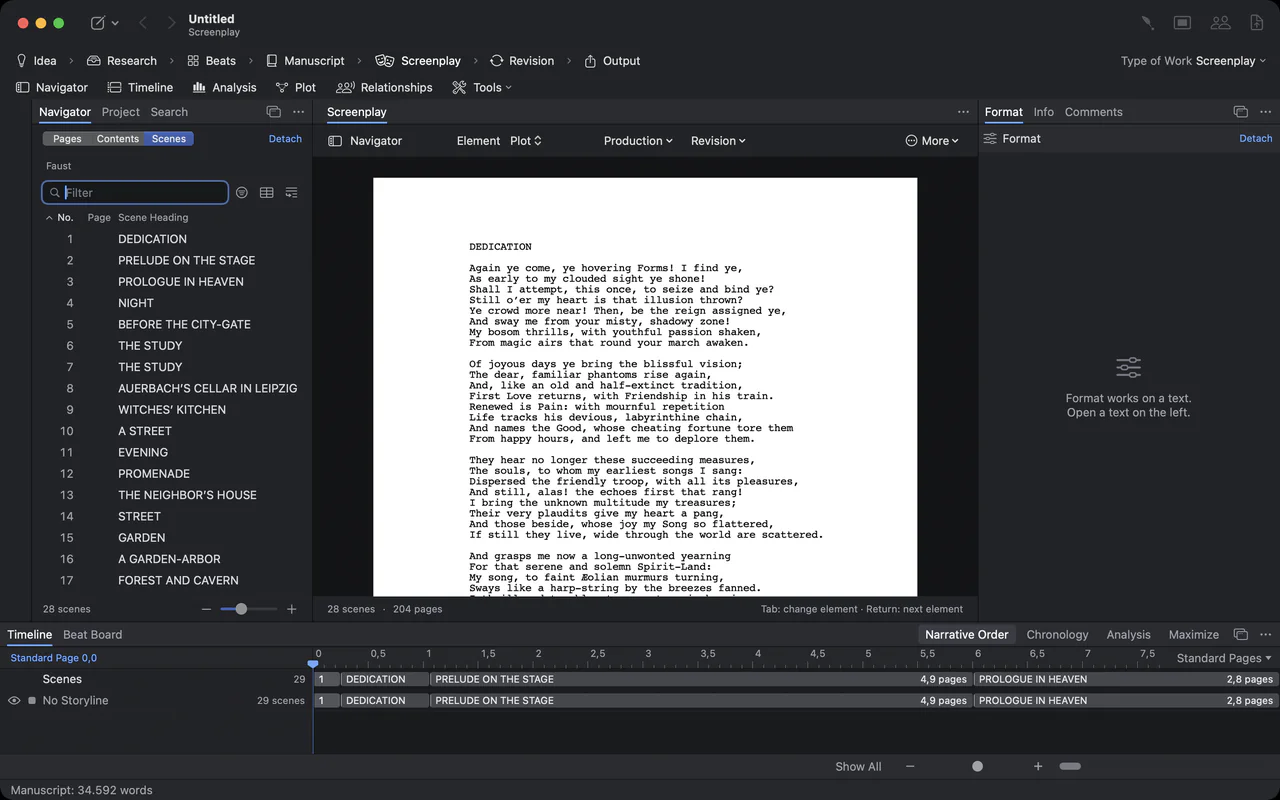
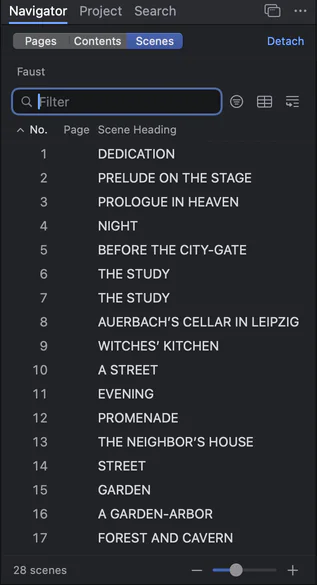
The scene navigator: numbered scenes of Faust with their headings

The timeline under the screenplay: Dedication, Prelude on the Stage and Prologue in Heaven as clips with their page lengths
Running the session.
Everything that happens in a room meeting has a place in the Collaborators window.
- FollowIn a person’s menu, Follow takes your window wherever they go – never in the middle of a word.
- Everyone hereOne button opens what is open on your Mac on every connected device. Whoever is writing gets Jump or Later instead of being pulled out of a sentence.
- MessagesA chat for everyone connected, end-to-end encrypted. Whoever joins later gets the lines that came before.
- Comments and suggestionsEven writers who only read can Comment and use Suggest Change…. Suggestions arrive on the host as tracked changes in their name.
- Roles and sidesFor a table read, give each actor’s device a Role. Sides as PDF sets every scene of that role; on the iPhone the actor sees My Sides.
- OfflineComments and suggestions written without a connection wait and go out when it is back.
Who pays when the whole room writes.
Collaboration models differ more than features. These are the makers’ own descriptions of who needs a paid plan to write together.
| Writing together | Who pays | |
|---|---|---|
| Goethe Write | Same network without the internet, or over the internet; end-to-end encrypted | Only the person who shares: Goethe Cloud, US$4.99 a month or US$49.99 a year; guests are free |
| Final Draft 13 | Real-time collaboration | Every participant needs Final Draft 13 and a licence of their own |
| WriterDuet | Real-time co-writing, in the browser and in apps | Paid subscribers can invite unlimited users, free or paid |
| Arc Studio | Real-time co-writing with comments and script chat | Inviting collaborators needs a paid plan |
| Celtx | Co-writing with presence awareness and comments | Collaborators are studio seats paid for by your account |
| Fade In 5 | Online real-time collaboration | Not in the free demo; the maker sells individual licences |
Sources: Final Draft: real-time collaboration, WriterDuet, Arc Studio, Celtx, Fade In.
Checked on 13 November 2026 on the makers’ websites (Final Draft on 12 November 2026). Where others are ahead: WriterDuet, Arc Studio and Celtx run in the browser, so a team can write while nobody’s computer is on, and WriterDuet Pro and Fade In already lock pages. All names are trademarks of their owners; Goethe Write is not affiliated with them.
Read links for producers, executives and actors.
Not everyone who reads should write – and not everyone has Goethe Write. A read link shows the screenplays and the manuscript in any current browser, on any system, also while your Mac is off.
- Create itIn Collaborators, under Read in a Browser, decide whether Readers may comment, then click Create Read Link and send it with Copy or Share….
- Notes come homeReaders select a passage and choose Comment. Your Mac fetches the comments every two minutes while the project is open, and each one lands at its passage in the reader’s name.
- Always the current draftAfter every save the link gets the new state, at most every two minutes; Update Now sends it at once.
- Only the link holds the keyYour Mac encrypts the work before it leaves; the key is in the link after the # sign, which browsers never send to a server. Withdraw deletes the state and the comments, and the link opens nothing.
Revisions the production office recognises.
When the script goes into prep, the room changes it in rounds. Revision ▸ Revision Mode marks every changed line with the mark of the active set, and pages can take its colour; Revision ▸ Edit Revision Sets… names the rounds, from Blue to Tan. Production ▸ Scene Numbers … with Keep existing numbers makes a new scene between 12 and 13 into 12A. Several drafts – first draft, studio draft, shooting script – live in one project, one click apart, and .fdx files from the studio go back exactly as they came in where nothing changed.

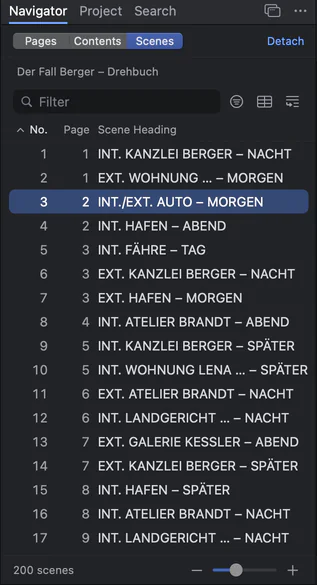
The scene navigator of a long screenplay with 200 scenes
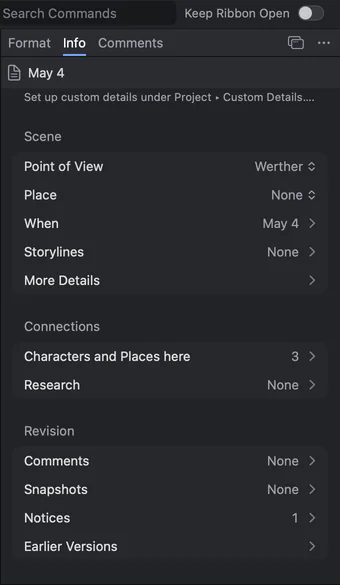
Scene details in the Inspector: point of view, date, place and connections
What to know before the room moves in.
Today a shared project lives on the host’s Mac, and the others connect to it, so that Mac has to be on while the room writes. Writing in the browser and working at different times while the host is off are planned, not built. Locked pages and A pages for the production draft are planned too, and there are no revisions on iPhone and iPad yet.
Goethe Write runs on the Mac only, with a free iPhone and iPad app, and it is available now on the Mac App Store. For the full workflow of a TV room – breaking the story, storylines on the timeline, production drafts – see the page for writers’ rooms.
For TV writers’ rooms For production companies All comparisons Choosing screenwriting software for Mac
Questions about writers’ room software.
Can two writers work in the same scene at the same time?
Yes. In a screenplay each writer holds the paragraphs they are writing, so several people can write in the same scene at once. A coloured bar with the name shows who holds which paragraph.
Does every writer in the room need a subscription?
No. Only whoever shares the project needs Goethe Cloud, at US$4.99 a month or US$49.99 a year. Invited writers are guests and pay nothing, on a Mac, an iPhone or an iPad.
Can producers read the script without Goethe Write?
Yes. A read link opens the current draft in any current browser, on any system, and their comments arrive in your project in their name.
Does it work when the writers are in different cities?
Yes. Share over the Internet and send Invite to Write: a link that works once, for seven days. In the same room, devices connect directly over the network without the internet.
Can Goethe Cloud read our script?
No. Everything between the devices is end-to-end encrypted, and a read link’s key is only in the link. The service passes on data it cannot read.
How does a studio equip a whole room?
With Goethe Write for Teams: US$29.99 per Mac seat, paid once, from five seats, through Apple Business Manager.
One project. The whole room in it.
Try Goethe Write free for 14 days on the Mac. When the room starts, Goethe Cloud lets you share the project – US$4.99 a month or US$49.99 a year – and every writer you invite joins for free.