One script. The whole room in it.
Goethe Write is a Mac app for TV writers’ rooms and showrunners: the room breaks the story on one board, writes in the same script at the same time, paragraph by paragraph, and hands out pages in industry format.


Where a room loses time.
A writers’ room produces a lot of material before anyone writes a page: the board, the breaks, the arcs of a whole season, the notes from the studio or the network. Then come the drafts, passed between writers by email, in files called “ep104_v7_final_JM” – and the question nobody wants to ask late at night: which version did the showrunner read?
Goethe Write keeps all of it in one project on one Mac – the showrunner’s or the writers’ assistant’s: the beats, the outline, the characters, every draft of every script, and the conversation about them. The room connects to that project instead of passing copies around.
Break the story on one board.
Planning happens in the same project that will hold the script, so nothing has to be copied from a whiteboard photo into a document later.
- Beat BoardCollect beats on a free canvas, then switch to the acts view and drag them into acts. Open it with Tools ▾ ▸ Planning ▸ Beat Board; Create as Scene turns a beat into a scene with its summary as the first lines.
- From the break to the draftIn the Screenplay phase, Create from Manuscript turns every scene of the break into a scene heading with its text as action. The break stays where it is, as the source beside the script.
- Storylines on the timelineGive each scene its storyline – A, B or C story – and Go ▸ Timeline (⌘5) sets the scenes on one track per storyline. You see where a story rests for too long.
- Characters and what they knowA sheet for every regular (Entry ▸ New Character), a relationship map for the whole cast, and under Go ▸ Plot the threads a season sets up and pays off. Goethe Write reports a thread that is never paid off.
Write in the same scene, at the same time.
Writing together runs over Goethe Link. The Mac that has the project open is the host; the laptops, iPhones and iPads of the room join it as guests. Everything between the devices is end-to-end encrypted.
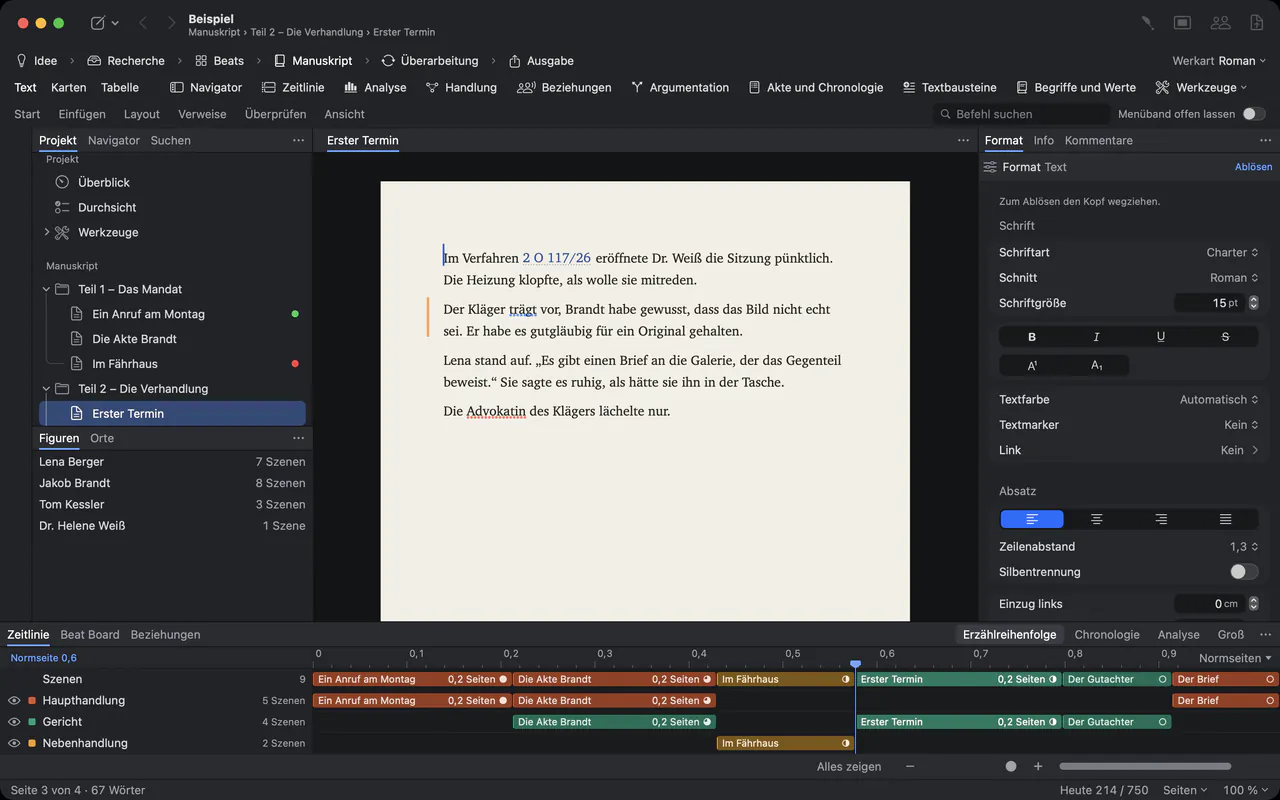
- Paragraph by paragraphIn a screenplay several people write in the same scene at once: one the action, one the dialogue. Each paragraph belongs to whoever writes it, marked with a coloured bar and their name, so nothing is overwritten.
- You decide who writesClick Collaborators in the toolbar, turn on Share on the same network and pair a laptop with Pair Device… and six matching digits. A new device reads first; May Write lets it write, project by project.
- Follow, and everyone hereFollow takes your window wherever one writer goes. Everyone here opens the same scene on every connected device, without pulling anyone out of a sentence.
- Notes in the marginWriters who only read can still comment and use Suggest Change…. The suggestion arrives as a tracked change in their name, to accept or reject.
- A chat for the sessionMessages reaches everyone connected. Whoever joins later gets the lines that came before.
- Guests pay nothingOnly the person who shares the project needs Goethe Cloud. Invited writers work as guests, without a subscription of their own.
See every storyline at once.
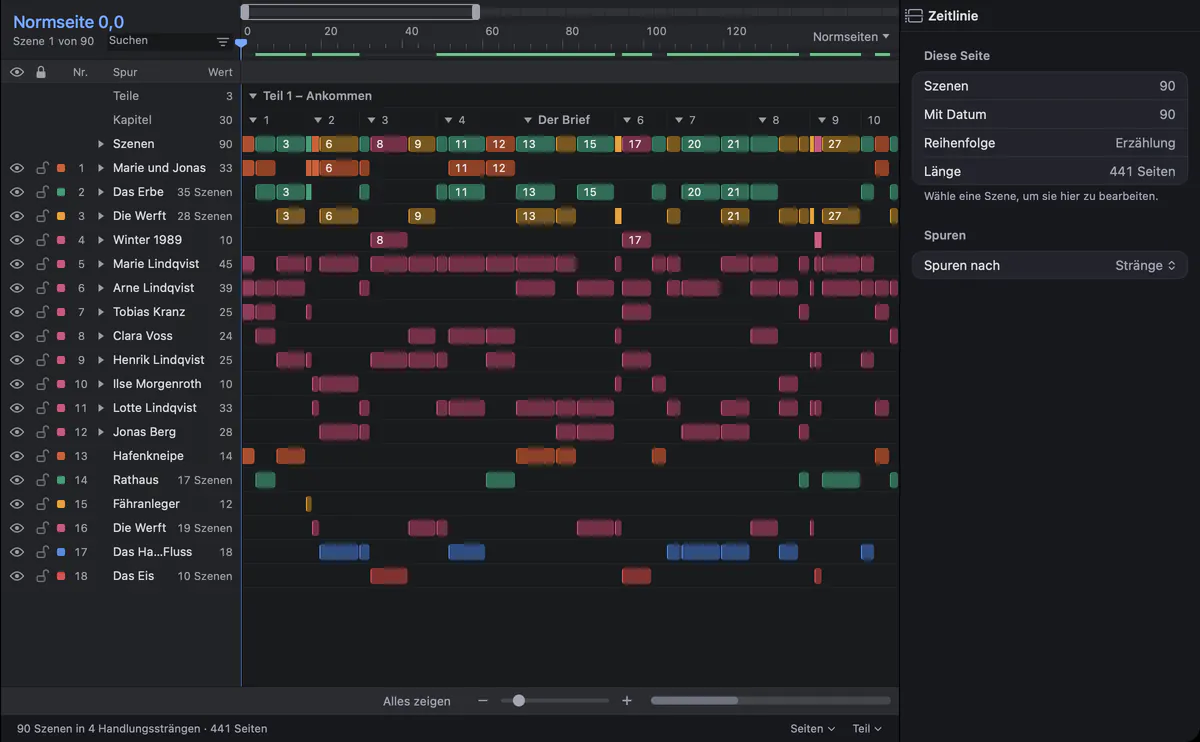
The timeline sets every scene as a clip, as wide as the scene is long, on one track per storyline, character and place. The screenshot shows a novel; the A, B and C stories of an episode line up the same way.
Production drafts, the way production expects them.
When an episode goes to prep, the script has to behave like a production script. Goethe Write sets pages by the rules Final Draft applies and keeps the conventions a production office knows.
- Final Draft files
- Open .fdx files from the studio and save them back; unchanged paragraphs go out byte for byte as they came in.
- Scene numbers
- Production ▸ Scene Numbers … with Keep existing numbers: a new scene between 12 and 13 becomes 12A, and every other number stays.
- Revision sets
- Revision ▸ Revision Mode: changed lines carry the mark of the active set in the margin, and pages can take its colour.
- Drafts
- Several screenplay drafts in one project – first draft, studio draft, shooting script – one click apart.
Not built yet: locked pages and A pages for the production draft, and revisions on iPhone and iPad.
What to know before the room moves in.
Today a shared project lives on the host’s Mac, and the others connect to that Mac, so it has to be on while the room works. Working at different times while it is off, and writing in the browser, are planned but not built yet.
Writing together over the internet works with Goethe Cloud. In the same network – the writers’ room, the office, the production office – Goethe Link connects the devices directly, without any internet at all.
Working together Handbook: collaboration Screenplays in Goethe Write
Questions from writers’ rooms.
Can two writers work in the same scene at the same time?
Yes. In a screenplay each person holds the paragraphs they are writing, and new paragraphs after their own belong to them until they move on. A coloured bar with the name shows who holds which paragraph.
Does every writer in the room need a subscription?
No. Whoever shares the project needs Goethe Cloud, at US$4.99 a month or US$49.99 a year. Invited writers are guests and pay nothing. To write their own projects on their own Mac, a writer needs Goethe Write for Mac (US$79.99, once) or Goethe Cloud.
Can we keep exchanging scripts with Final Draft?
Yes. Goethe Write opens .fdx files with their formatting and element settings and saves them back as .fdx. Paragraphs you did not change leave the file exactly as they came in.
Does it work when the writers are in different cities?
Yes. The host invites them over the internet with a link that works once, for seven days; this runs through Goethe Cloud. In the same network, writers connect directly with Goethe Link.
How does a studio buy Goethe Write for a whole room?
Through Goethe Write for Teams: US$29.99 per Mac seat, paid once, from five seats, delivered through Apple Business Manager.
Bring the room into one project.
Try Goethe Write free for 14 days on the Mac, or equip the whole room with Teams seats.