From the development slate to the shooting script.
Goethe Write is a Mac app for development teams and script departments at film and TV production companies: treatments, bibles and screenplays in one project, Final Draft files both ways, and the paperwork a script needs on its way to the set.


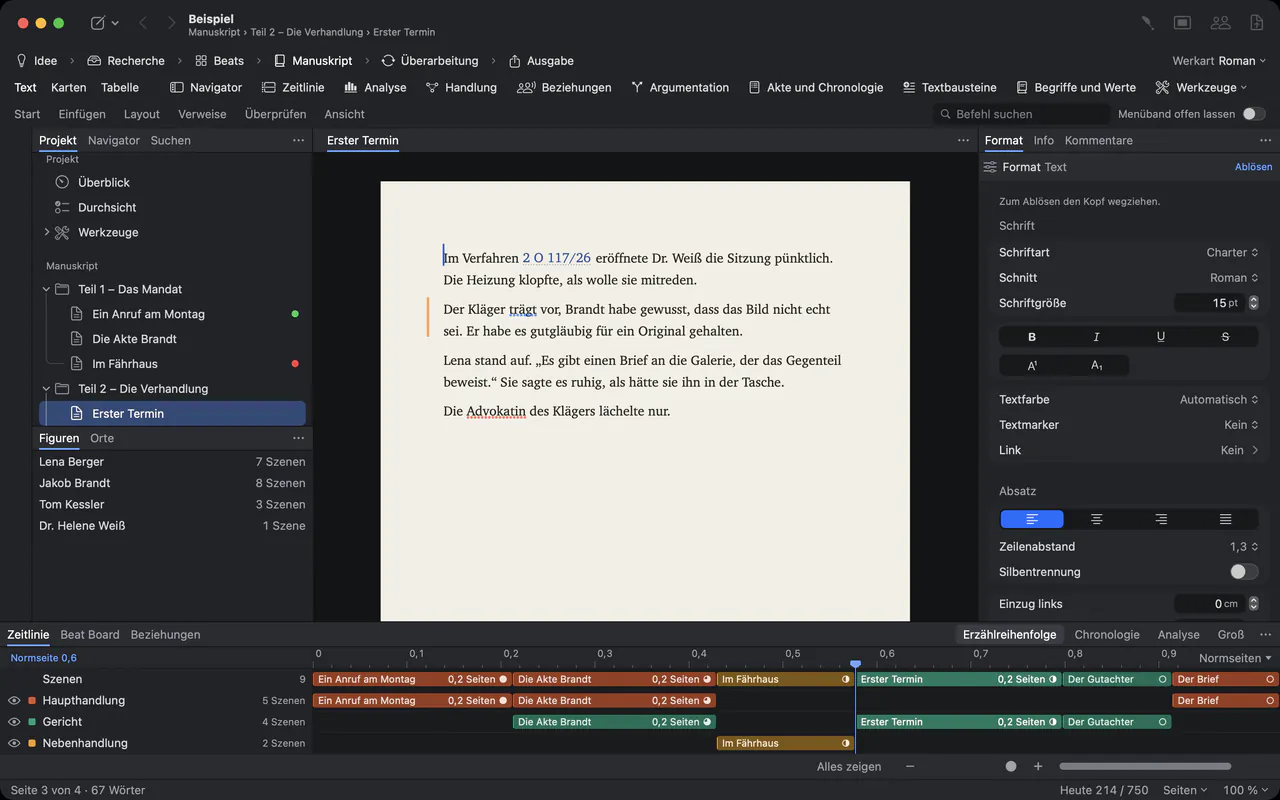
A script passes through many hands.
In a production company a script is never just a file. Development reads treatments and drafts and gives notes. The writers deliver in Final Draft. The script department numbers scenes, issues coloured revision pages and sends out sides. Producers want to read on a phone between two meetings. Each step usually means another program and another copy.
Goethe Write covers the writing side of that path, from the first treatment to the numbered, revised script, in formats the rest of the industry opens. It is not production software: it has no breakdown sheets, no stripboard and no budget.
Development: treatments, bibles, notes.
- Treatment and screenplay in one projectThe manuscript holds the treatment, the pitch document or the series bible; screenplay drafts stand beside it. Create from Manuscript turns the scenes of a treatment into a first screenplay draft.
- Notes as comments and suggestionsReaders comment on a passage; with Suggest Change… a note arrives as a tracked change in the reader’s name, to accept or reject.
- Notes from people who work in WordReview ▸ Send as Word… exports a treatment with its comments and tracked changes. Review ▸ Apply Edits… works the returned file back in, without overwriting anything.
- Source material beside the textFile ▸ Add Files to Research… puts the book you are adapting, articles and photos into the project. PDFs can be searched, highlighted and quoted; scanned pages become searchable with text recognition.
Final Draft in, Final Draft out.
Writers deliver .fdx files. Import Screenplay… opens them with their indents, fonts, element settings, page margins, title page, SmartType lists and revisions. Export the draft as Final Draft (.fdx) again, and every paragraph you did not touch leaves byte for byte as it came in.
Pages break by the rules Final Draft 13 applies, and the page count was checked against Final Draft’s own PDFs. Where a page number goes into a production schedule, compare it with Final Draft once – in single cases a page may break differently.
INT. DEVELOPMENT OFFICE - NIGHT
Two drafts on the table. One in blue pages.
PRODUCER
What changed since Tuesday?
SCRIPT COORDINATOR
(tapping the margin)
Everything with a mark. Nothing else.
What the script department needs.
- Scene numbers that stay putProduction ▸ Scene Numbers … numbers the scenes on the left, the right or both. With Keep existing numbers a new scene becomes 12A, and every other number stays.
- Omitted scenesProduction ▸ Omit Scene leaves the heading and its number standing as OMITTED, as Final Draft prints it; the scene’s text stays inside.
- Revision sets and page coloursRevision ▸ Edit Revision Sets… starts with Final Draft’s colours, from Blue to Tan. Show Page Colour colours every page by its highest set, and the margin marks every changed line.
- The scene tableView ▸ Show Navigator (⌃⌘N) lists every scene with number, page, length in eighths, characters, location and time of day. Filter Scenes by interior or exterior, time of day, character or status.
- Scene and cast reportsThe Export menu of the screenplay writes a Scene Report, a Scene List (CSV) and the cast as text or CSV, for spreadsheets and the departments that plan from them.
- Sides for actorsIn the Collaborators window, give a connected device a Role, then choose Sides as PDF: every scene in which that role speaks, set as a screenplay PDF.
Not built yet.
Locked pages and A pages for the production draft are planned but not built; revisions work as described above. There are no revisions on iPhone and iPad yet. Custom headers and footers and a different starting page number from an FDX file do not carry over to the PDF yet – the app says so before it writes.
Lengths in eighths match Final Draft’s numbers in most cases, not in all. For a planning overview they are enough; check a binding budget against Final Draft.
Who is who, for everyone who reads.
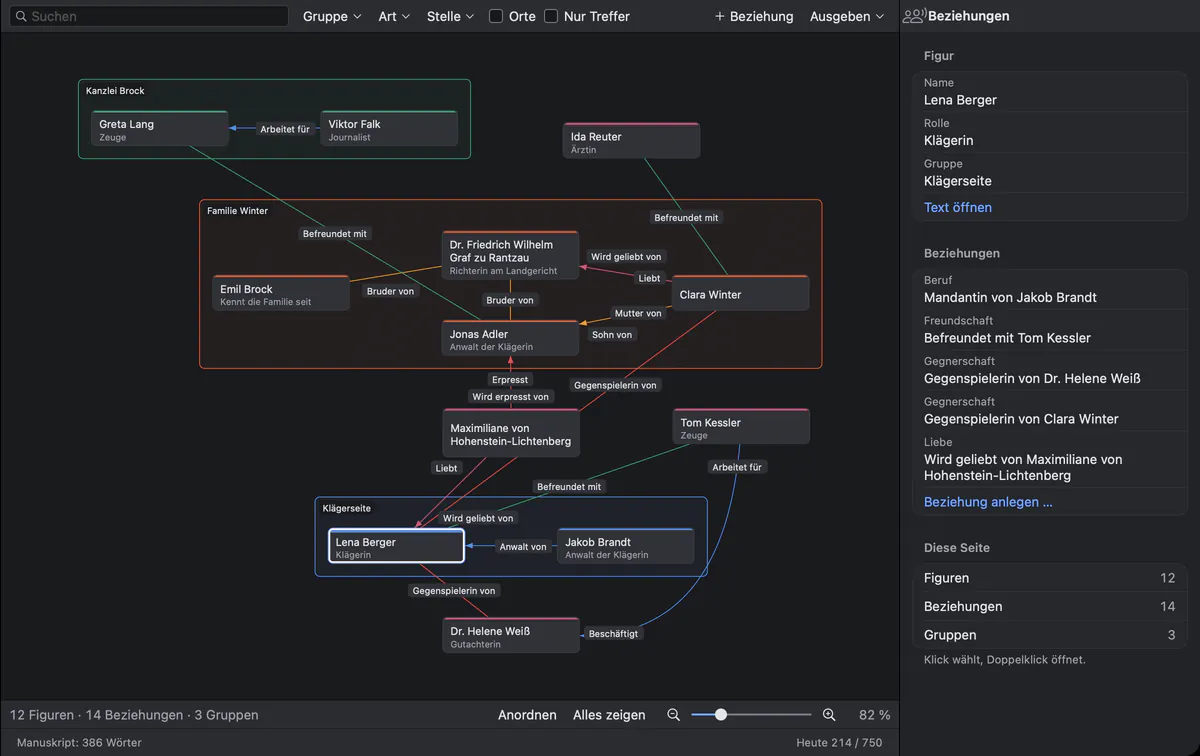
For a series bible or a pitch, the relationship map draws the characters as cards, groups as frames and every relationship as a labelled line. Export writes the map as a PDF or PNG for the presentation.
Questions from production companies.
Can our writers keep delivering in Final Draft?
Yes. Goethe Write reads and writes .fdx files. A file you open and export again without a change is the same file, byte for byte; only changed and new paragraphs are written anew.
Does Goethe Write replace scheduling or budgeting software?
No. It has no breakdown sheets, stripboard or budget. It gives those departments what they start from: a numbered script with stable page breaks, a scene list and a cast list as CSV.
Can producers read a draft without installing anything?
With a read link, yes: the project opens in any current browser, and readers can comment if you allow it. Read links come with Goethe Cloud.
How safe is an unreleased script when we share it?
Goethe Link and read links are end-to-end encrypted. For a read link the key stands only in the link, after the “#”, which no browser sends to a server. Anyone who has the link can read, so send it only to the people you mean.
How do we license Goethe Write for the company?
Goethe Write for Teams costs US$29.99 per Mac seat, paid once, from five seats, through Apple Business Manager. Your administrator assigns the seats and can reassign them.
Put the next script through it.
Try Goethe Write free for 14 days on the Mac, or ask for seats for your company.