A speech is written for the ear.
Goethe Write is a Mac app for people who write words that someone else will speak: political speeches, keynotes, addresses and statements. It reads your draft aloud, counts exactly, keeps every version and brings the edits of the principal’s office back into your text.


Hear it before the audience does.
A sentence that reads well can still trip the speaker. Edit ▸ Speech ▸ Start Speaking has the Mac read your selection aloud while you follow along; Stop Speaking ends it. The voice is the one set in the Mac’s System Settings. You hear the clause that runs too long, the three words that start with the same sound, the punch line that comes one beat too late.
Then switch to View ▸ Focus (⇧⌘↩). The window goes full screen and only the page stays. Nothing moves, nothing blinks, and no tooltip opens while you look for the right word.
Length, counted exactly.
Speeches are booked in minutes but written in words. Goethe Write counts the words; how fast your speaker talks, you know better than any app. It does not estimate speaking time.
- Word Count
- Review ▸ Word Count … shows words, characters, paragraphs and pages for the selection, the text or the whole manuscript. A click on the word count in the status bar opens it too.
- A target per speech
- In the Inspector, give a text its own word target. The status bar then reads “312 words · target 1,500”, and a small ring in the sidebar fills as you write.
- A limit
- Under Project ▸ Targets … set a manuscript target of at most so many words. The app shows how much room is left, or how far you are over.
- The day of the speech
- Set the event as the deadline and tap your writing days: the app works out how many words each day needs.
Three openings, one speech.
Speechwriting is choosing. Goethe Write keeps what you did not choose, so you can still change your mind on the morning of the event.
Alternatives
The arrow beside Review ▸ Save Snapshot offers Save as Alternative: keep the formal opening, write the personal one, and decide later.
Compare
Review ▸ Compare… sets two states side by side, paragraph by paragraph, with the words that came in and fell out. Apply brings back a single paragraph.
Parts you can move
Write the speech as texts in the outline – opening, three arguments, the story, the close – and drag them into a new order, on cards or in the outline.
The briefing beside the draft.
Put the briefing, last year’s address and the statistics office’s PDF into Research with File ▸ Add Files to Research…. View ▸ Second Pane (⌥⌘↩) opens any of them next to your draft, and Use Quote carries a passage over with its page reference, so every figure in the speech can be traced.
Through the principal’s office and back.
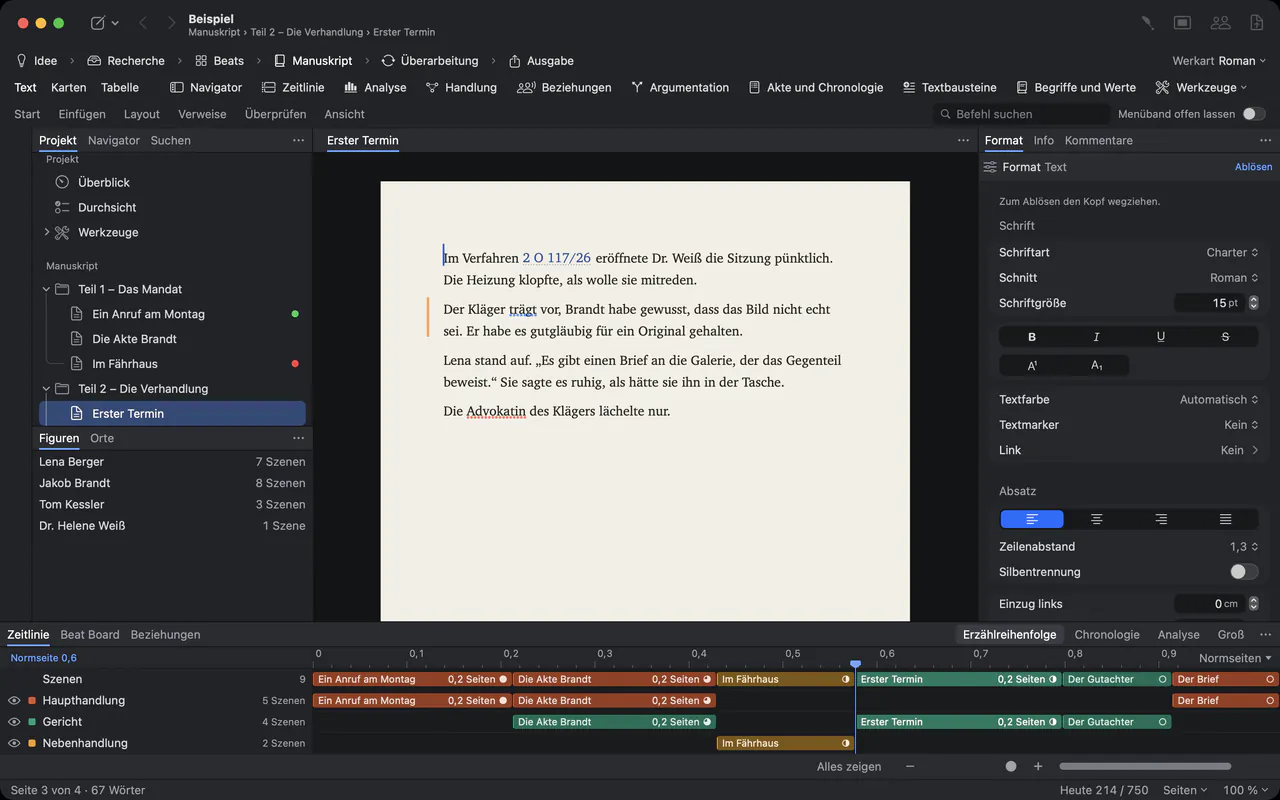
Most speeches pass through several hands before they are given. Colleagues comment with Review ▸ Comment (⇧⌘K). With Review ▸ Track Changes (⇧⌘E), every insertion and deletion carries the name of the person who made it, and you decide what stands.
If the office works in Word, Review ▸ Send as Word… sends the draft with its comments and changes as real Word comments. When it comes back, Review ▸ Apply Edits… works the edits into your text as tracked changes under the editor’s name. It saves a snapshot first and overwrites nothing.
With Goethe Cloud, a read link opens the speech in any browser, on any computer. Readers select a passage and comment, and their comments arrive in your project under their name.
A reading copy for the podium.
- Large typeSet font and size once in the Body Text style under Format ▸ Style ▸ Edit Styles…, and the whole speech follows.
- Room between the linesLine Spacing in the Paragraph group goes up to three times the line height, so the speaker finds the line again after looking up.
- Print or PDFFile ▸ Print… (⌘P) sets the pages as the PDF export does. File ▸ Export… writes a PDF with page numbers to send ahead.
- On the iPhoneThe free iPhone and iPad app opens your Goethe projects, so the latest draft travels with you to the venue. Plain texts can be edited there too.
A second pair of eyes, if you want one.
Goethe, the writing assistant, works with your own AI key. Select a paragraph and ask it to Shorten (by about a third), to Rephrase in a Factual or Simpler tone, or write in your own words: “Shorter sentences, this is for an outdoor rally.” The suggestion arrives as a tracked change; you keep it or reject it.
Under Project ▸ House Rules for Goethe… write down what holds for this speaker: forms of address, terms they always use, words they never say. Goethe follows them in every request in that project. Goethe is part of Goethe Cloud, and it never writes the speech on its own.
Questions from speechwriters.
Does Goethe Write estimate speaking time?
No. It counts words and characters exactly, for a selection or the whole speech, but it does not turn them into minutes. If you know your speaker’s pace, a word target per speech does the same job.
Can the Mac read my speech aloud?
Yes. Select the text and choose Edit ▸ Speech ▸ Start Speaking. The Mac reads it in the voice set in System Settings; Stop Speaking ends it.
Is there a teleprompter mode?
No. Goethe Write has no teleprompter or autocue view. For the podium, print a reading copy or export a PDF. Rich Text and Markdown open in almost any other program.
How do I keep a speaker’s recurring passages at hand?
Switch on the Consulting tools under Project ▸ Tools…. The Clause Library keeps approved wording with versions and variants, and Insert ▸ Clause puts it into the text.
Are my drafts private?
Your projects are files on your Mac. Without an AI key Goethe Write stays completely offline. Drafts you share through Goethe Link or a read link are end-to-end encrypted, and texts marked with Entry ▸ Hide from Goethe are never sent to the assistant.
Your next speech starts here.
14 days free on the Mac, then US$79.99 once. Goethe Cloud – US$4.99 a month or US$49.99 a year – adds read links, working together and Goethe. Speechwriting teams: US$29.99 per Mac seat, from 5 seats.