Write in someone else’s voice. Keep your own order.
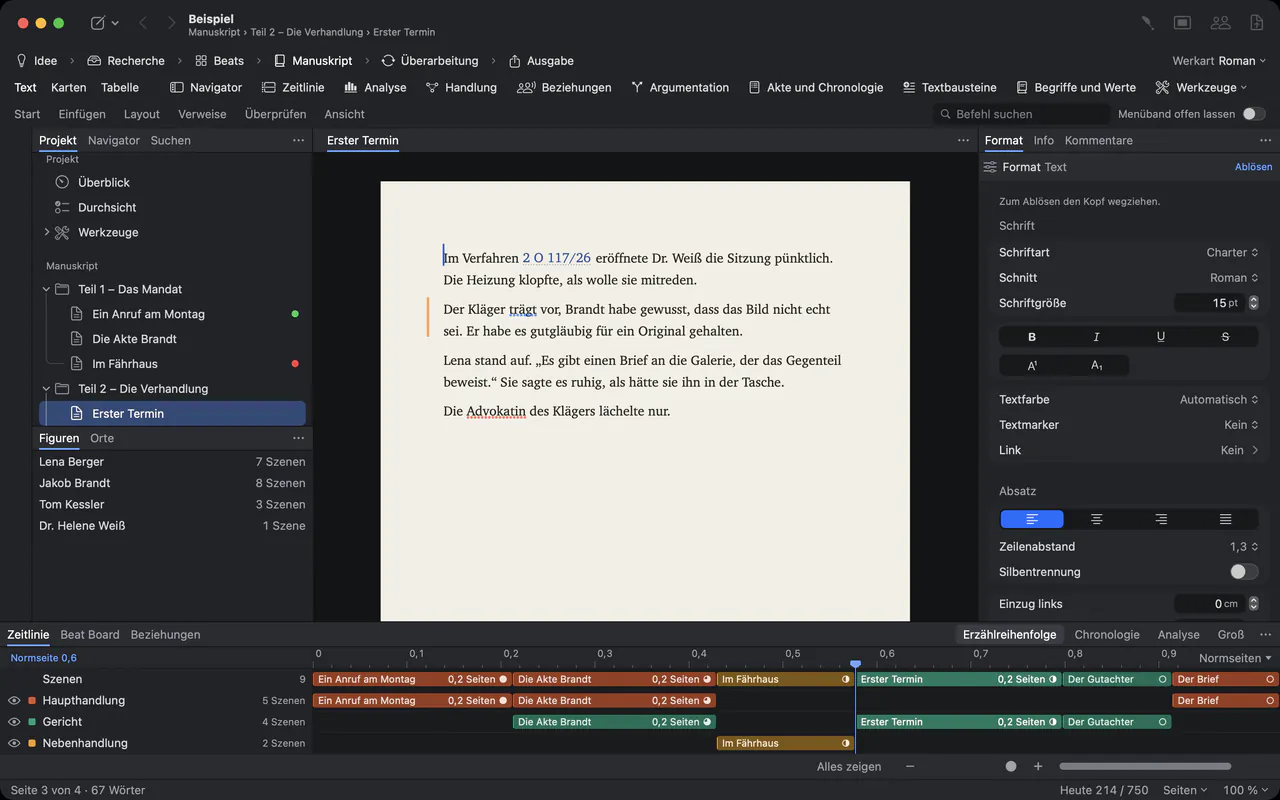
A ghostwriter works with interviews, notes and a client who reads every chapter. Goethe Write keeps the material, the manuscript and the client’s feedback together, one project per book, on your Mac.


Three problems every ghostwriter knows.
First, the material: hours of interviews, old letters, documents and notes, spread across folders and apps. Second, the voice: the book has to sound like the client, not like you or like your previous client. Third, the feedback: the client and often their family or assistant read along, comment in Word and change their minds.
Goethe Write answers all three with features that are documented in its handbook, and it is plain about what it does not do.
It also keeps one book from bleeding into the next: every client gets a project file of their own, with their own material, their own rules for the assistant and their own deadline, so nothing from one life story turns up in another.
The material beside the text.
Research in the project
File ▸ Add Files to Research… copies transcripts, PDFs, photos and documents into the project. Scanned pages can be made searchable by text recognition.
Side by side
Open the interview in a second pane beside the chapter you are writing, and take a quote into the text.
The people of a life
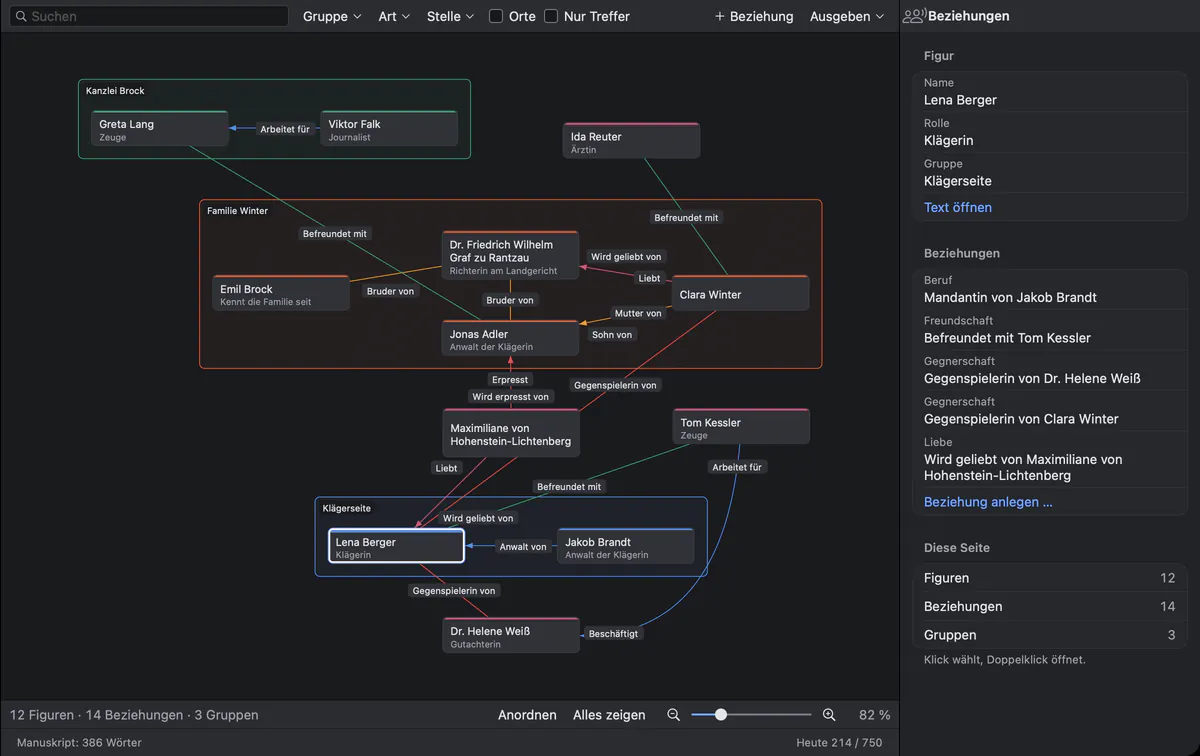
Entries for people and places, and a relationship map of who stands to whom. For a memoir, that is the client’s family, colleagues and friends.
Your own templates
File ▸ Save as Project Template… turns the structure you use for every book into a template for the next client.
The client’s voice, the client’s deadline.
- House rules for the voiceIf you use Goethe, the writing assistant, write the client’s spellings, terms and tone into Project ▸ House Rules for Goethe…. They apply to every request in this project and travel with the project file.
- Suggestions, never silent changes
 AIGoethe’s suggestions arrive as tracked changes in the name “Goethe”. It is instructed not to invent events, names, dates or quotations that are not in your material.
- Targets and deadlineProject ▸ Targets… takes the agreed length and the delivery date and works out how many words each writing day needs.
- The client’s name on the coverIn the export dialog, the Title and Name group sets the name the title page prints – the client’s, not yours.
Who is who in the client’s story.
The relationship map shows people as cards in groups, with labelled lines between them. The example comes from a novel; in a memoir or a biography it holds the people of a real life, and every entry keeps its own notes.
Working with the client.
Most clients read in Word. Review ▸ Send as Word… sends the chapter with your comments and open questions. When it comes back, Review ▸ Apply Edits… brings the client’s changes in as tracked changes in their name and their comments as comments, after saving a snapshot of every text. You accept, reject or reply, chapter by chapter.
When the client changes their mind, Review ▸ Compare… shows what the chapter said last week, and Apply brings back single paragraphs. A client who has Goethe Write can also join your project as a guest on the same network, read along and comment, without a subscription of their own. A new device only reads at first; it writes only once you allow it.
Discretion is part of the job.
- On your Mac
- Each book is a project file on your Mac, with a backup every 30 minutes while you work.
- Offline without a key
- Without an AI key, Goethe Write sends nothing anywhere. With one, text goes to your provider only when you ask.
- Notes kept from the assistant
- Entry ▸ Hide from Goethe locks confidential notes and folders; Goethe never reads them.
- Your name as you choose
- Comments carry the name you set under Settings… ▸ General ▸ Comments and Changes, so you decide how you appear in the files the client sees.
Questions from ghostwriters.
Does my client need Goethe Write?
No. You exchange Word files: Review ▸ Send as Word… to the client, Review ▸ Apply Edits… for what comes back. With Goethe Cloud, a read link also lets the client read in the browser and, if you allow it, comment.
Can Goethe Write transcribe my interviews?
No. Goethe Write does not turn audio into text. Bring transcripts in as files under File ▸ Add Files to Research…; scanned pages can be made searchable by text recognition.
Does the assistant write the book?
No. Goethe suggests, and you decide. It works only with Goethe Cloud and your own key with an AI provider, it does not invent facts that are not in your material, and every suggestion is a tracked change you accept or reject.
Can I keep several clients apart?
Yes. Each book is its own project file, with its own research, house rules and targets. A template of your own gives every new book the same structure.
What does it cost?
US$79.99 once for the Mac, after 14 days free. Goethe Cloud, for the assistant and for working together, costs US$4.99 a month or US$49.99 a year. The iPhone and iPad app is free.
Give the next book its own project.
Goethe Write is on the Mac App Store.