The story behind the game, in one place.
Goethe Write is a Mac app for game writers and narrative designers who have to keep a world straight: characters, factions, lore, the main story and the side stories, with the research beside them. It is not a dialogue tool, and this page says plainly what it does not do.


First, what Goethe Write is not.
Goethe Write has no branching-dialogue editor: no dialogue trees, no conditions or variables, and no export to a game engine or a narrative scripting format. Branching conversations belong in the tool your engine reads.
What it does have is everything around them: the place where the story, the cast and the world are planned, checked for contradictions and written up for the team – the narrative bible, the outline of the main story, the scripts for cinematics.
Keep the world consistent.
A game world collects facts faster than anyone can remember them. Goethe Write records them once and checks your scenes against them – as questions in the Review, never as errors.
- Characters and placesEntry ▸ New from Template ▸ Character Sheet gives each character a sheet with twelve details – role, age, target, fear, way of speaking and more; places get a Place Sheet. Goethe Write knows in which scenes each of them appears.
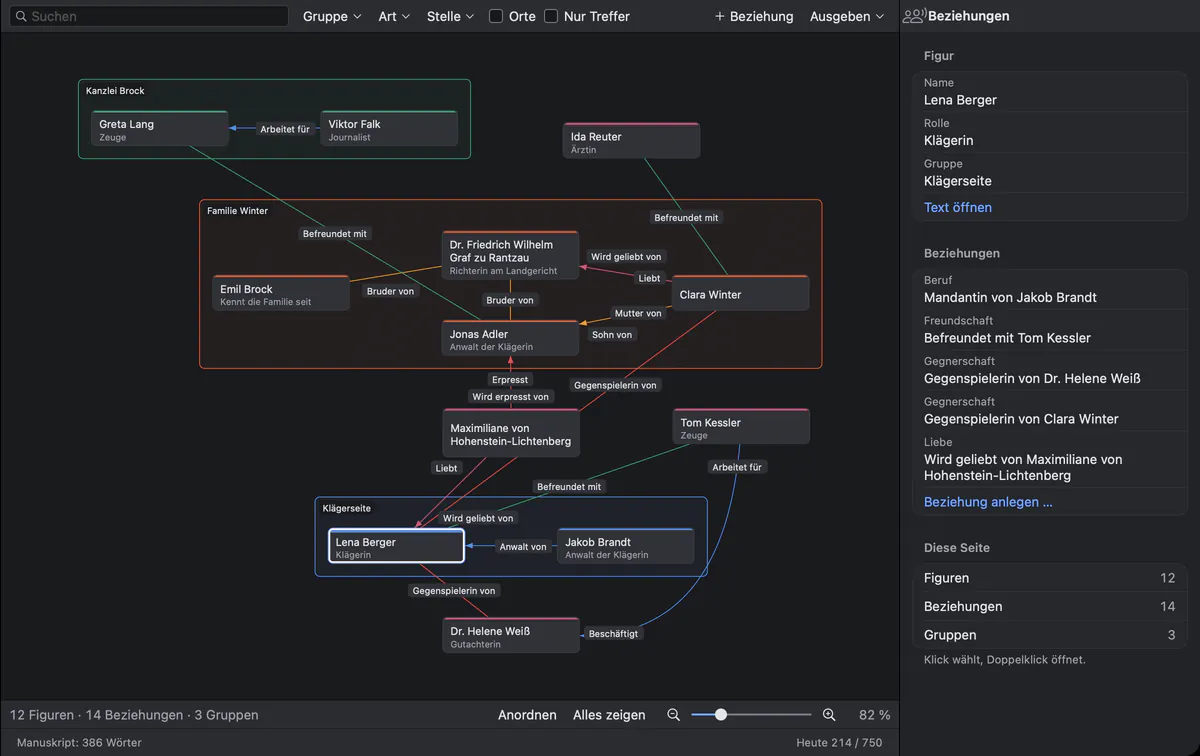
- Factions as groupsThe relationship map (Go ▸ Relationships) draws characters as cards and gathers them in groups – a guild, a family, a faction. Each relationship carries a role and its counterpart, such as “mentor of” and “student of”.
- Relationships that changeGive a relationship a first and a last scene. The Point in Story filter shows who stands to whom at that moment of the story.
- Rules of the worldUnder Go ▸ Plot, part Rules, write down what holds: a word that Must Not Appear, or a word Only Together With another – if “magic”, then also “price”. Goethe Write finds every passage that breaks a rule.
- Travel timesEnter how many hours it takes from one place to another. With dated scenes, Goethe Write reports a character who travels too fast.
- Who knows whatThreads record what the story sets up and where it pays off; Knowledge records from which scene a character knows it. Goethe Write reports a character who acts on a secret before learning it.
Main story and side stories, side by side.
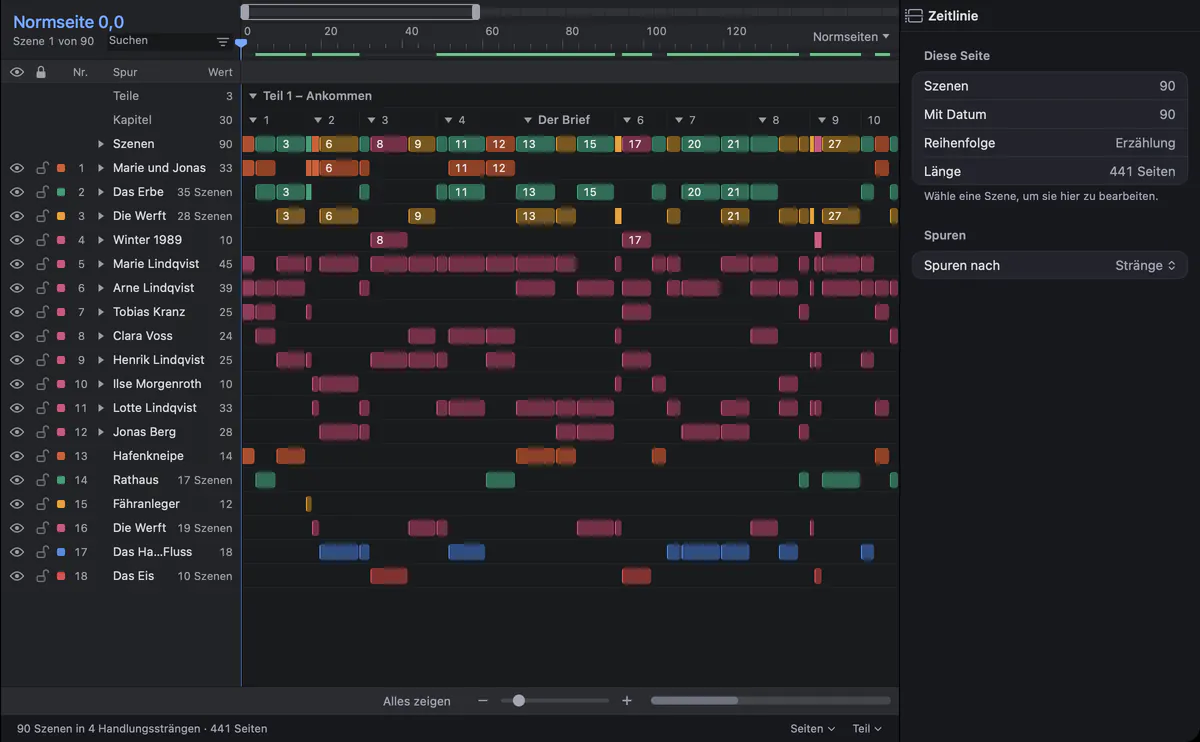
Give each scene a storyline – the main story, a companion’s story, a faction’s arc – and Go ▸ Timeline (⌘5) shows one track per storyline, character and place. With a date for each scene, the Chronology sets the scenes in story time and marks flashbacks.
The timeline is linear. It puts scenes in order; it does not model a player’s choices.
Writing it up for the team.
Beat Board
Plan the main story in beats, first on a free canvas, then in acts. Create as Scene turns a beat into a scene with its summary.
Cinematics as screenplays
In a project of the type Screenplay, Blank Screenplay writes cutscenes in industry format and exports Final Draft, Fountain or PDF.
Research
File ▸ Add Files to Research… keeps concept art, reference PDFs and notes in the project. Recognize Text turns the text in an image, such as a photographed page, into a searchable text.
Export
File ▸ Export… writes PDF, Word, EPUB, Rich Text or Markdown – Markdown for a wiki or a repository.
With the narrative team.
With Goethe Link several people work in one project: click Collaborators, turn on Share on the same network and pair a device with Pair Device…. One person writes in a text at a time; the others see their insertion point, read along, comment and suggest changes. Only the host needs Goethe Cloud; guests pay nothing. With Goethe Cloud, sharing works over the internet as well.
Goethe, the writing assistant in Goethe Cloud, works with your own AI key. Check Scene looks for what does not fit the characters, places, timeline and earlier scenes; Find Contradictions reads a whole folder. Goethe suggests, you decide: every change arrives as a suggestion to accept or reject.
Working together Goethe, the writing assistant Handbook: planning the story
Questions from game writers.
Can I write branching dialogue in Goethe Write?
No. Goethe Write has no dialogue trees, conditions or variables. Write branching conversations in the tool your engine reads, and use Goethe Write for the story, the cast and the world around them.
Can Goethe Write export to a game engine?
No. It exports PDF, Word, EPUB, Markdown and Rich Text, and screenplays as Final Draft, Fountain and PDF. Markdown and Word open almost anywhere; there is no format made for engines.
How does it help with lore consistency?
With rules of the world, travel times, threads and knowledge that it checks against your scenes, and with a continuity check that points out name variants, ages that do not match and a character in two places at once. Each finding is a question, not a verdict.
Can the whole narrative team work in one project?
Yes, with Goethe Link. The person who shares the project needs Goethe Cloud (US$4.99 a month or US$49.99 a year); everyone invited works as a guest for free. This works in the same network and over the internet.
Does Goethe Write run on Windows?
No. Goethe Write is a Mac app, with a free app for iPhone and iPad. People on Windows can read a project in the browser through a read link and comment on it.
Give your world one home.
Try Goethe Write free for 14 days on the Mac, or equip your narrative team with Teams seats.