Screenwriting software for students and film schools: pay once, write in industry format
Film students need three things from screenwriting software: real industry format, a price that survives a student budget, and an easy way to write with classmates. Goethe Write costs US$79.99 once on the Mac, after 14 free days. The iPhone and iPad app is free and writes screenplays too. Scripts open and save as Final Draft and Fountain files, and in a group project only the student who shares it pays; classmates join for free. There is no student discount: the price is the same for everyone.


What a student pays, and for what.
The short version, before the details. Goethe Write is available now on the Mac App Store, and the iPhone and iPad app is free in the App Store.
- Goethe Write for Mac
- US$79.99, bought once in the app. Every tool, on all your Macs with your Apple Account.
- Trial
- 14 days free on the Mac, once per Apple Account. Nothing renews.
- iPhone and iPad
- Free. Writes screenplays without any purchase.
- Goethe Cloud
- Optional: US$4.99 a month or US$49.99 a year, for sharing projects, read links and the assistant. The first month is free for new subscribers.
- Classmates you invite
- Free. Guests need no subscription and no account.
- Student discount
- None. The price is the same for everyone, and you pay it once.
Purchases are for one person and are not shared through Family Sharing.
Three years of film school, in numbers.
A subscription looks small per month and adds up over a degree. Here are the list prices the makers publish, multiplied by three years. Several makers may offer their own student pricing; check their sites, because we only list what we could verify.
| Published price | Three years at list price | |
|---|---|---|
| Goethe Write | US$79.99 once on the Mac; iPhone and iPad free | US$79.99, plus Goethe Cloud only in the months you share |
| Highland Pro | US$59.99 a year | US$179.97 |
| Arc Studio | Essentials US$69 a year, Pro US$99 a year; free plan with two scripts | US$207 (Essentials) |
| WriterDuet | Plus US$89.88 a year; free plan with three projects | US$269.64 (Plus) |
| Fade In | US$79.95 for an individual licence, free updates | US$79.95 |
| Slugline 2 | US$49.99 in-app purchase after six free pages | US$49.99 |
Sources: Highland Pro, Arc Studio, WriterDuet, Fade In, Slugline.
Checked on 13 November 2026 on the makers’ websites. Fade In costs about the same once and also runs on Windows and Linux; Slugline costs less once. All names are trademarks of their owners; Goethe Write is not affiliated with them.
Industry format from your first assignment.
Instructors, labs and competitions read hundreds of scripts. A script in the wrong format is a script that gets put down. Goethe Write sets your pages by the rules Final Draft 13 applies – Courier 12 point, the standard indents, (MORE) and (CONT’D) at page breaks – so one page still means about one minute of screen time.
You learn the format by writing it. After a scene heading, Return brings action; Tab in an empty line turns action into a character name; after the name comes dialogue. SmartType completes names, places and times of day such as DAY, NIGHT or CONTINUOUS. When the draft is due, Title Page in the head of the screenplay sets title, name and contact, and Export ▸ PDF with title page writes the file you hand in.
If your school uses Final Draft in its labs, you exchange .fdx files both ways. If a classmate writes in Fountain, Goethe Write opens that too.
The screenplay format, explained Screenplays in Goethe Write
A free screenwriting app for the iPhone in your pocket.
Ideas come on the bus, not at the desk. The iPhone and iPad app is free and writes real screenplay format: tap +, choose a template under New Script – Feature Film, TV Drama, TV Comedy, Stage Play or Blank – and write with the elements bar above the keyboard. Writing sprint sets a timer from 5 to 60 minutes with a word counter. Screenplays are ordinary .fdx and .fountain files in the Files app, and Share sends them as Final Draft, Fountain or PDF.
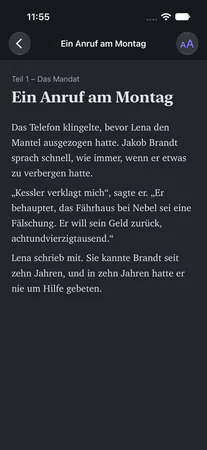
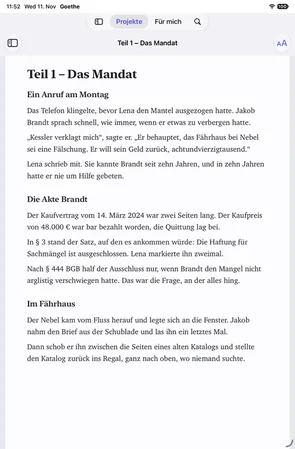
Goethe Write on iPad: reading a text
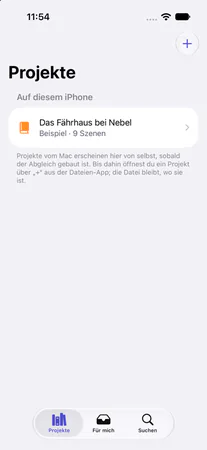
Goethe Write on iPhone: the list of projects
Group projects: one student shares, the class writes free.
Short films are written in teams. In Goethe Write, one Mac holds the project and the others join it as guests – Macs, iPhones and iPads. Only the student who shares needs Goethe Cloud; classmates pay nothing. A group can share Goethe Cloud for the month of the project and cancel afterwards.
- Share the projectClick Collaborators in the toolbar. In the same room, turn on Share on the same network and pair each device with Pair Device… and six matching digits. From home, turn on Share over the Internet and send Invite to Write – a link that works once, for seven days.
- The same scene, nobody overwrittenIn a screenplay several people write in the same scene at once, each in their own paragraphs. A coloured bar with the person’s name stands beside every paragraph someone else holds.
- Rights you can changeA new device starts by reading. May Write lets a classmate write in this project, and you can switch it off again at any time.
- Table readGive each actor a Role in the person’s menu. Sides as PDF sets every scene of that role; on the iPhone the actor sees My Sides.
- Notes from the classClassmates who only read can still comment and use Suggest Change…. Suggestions arrive as tracked changes in their name, to accept or reject.
- EncryptedEverything between the devices is end-to-end encrypted, names and texts included.
From treatment to screenplay without retyping.
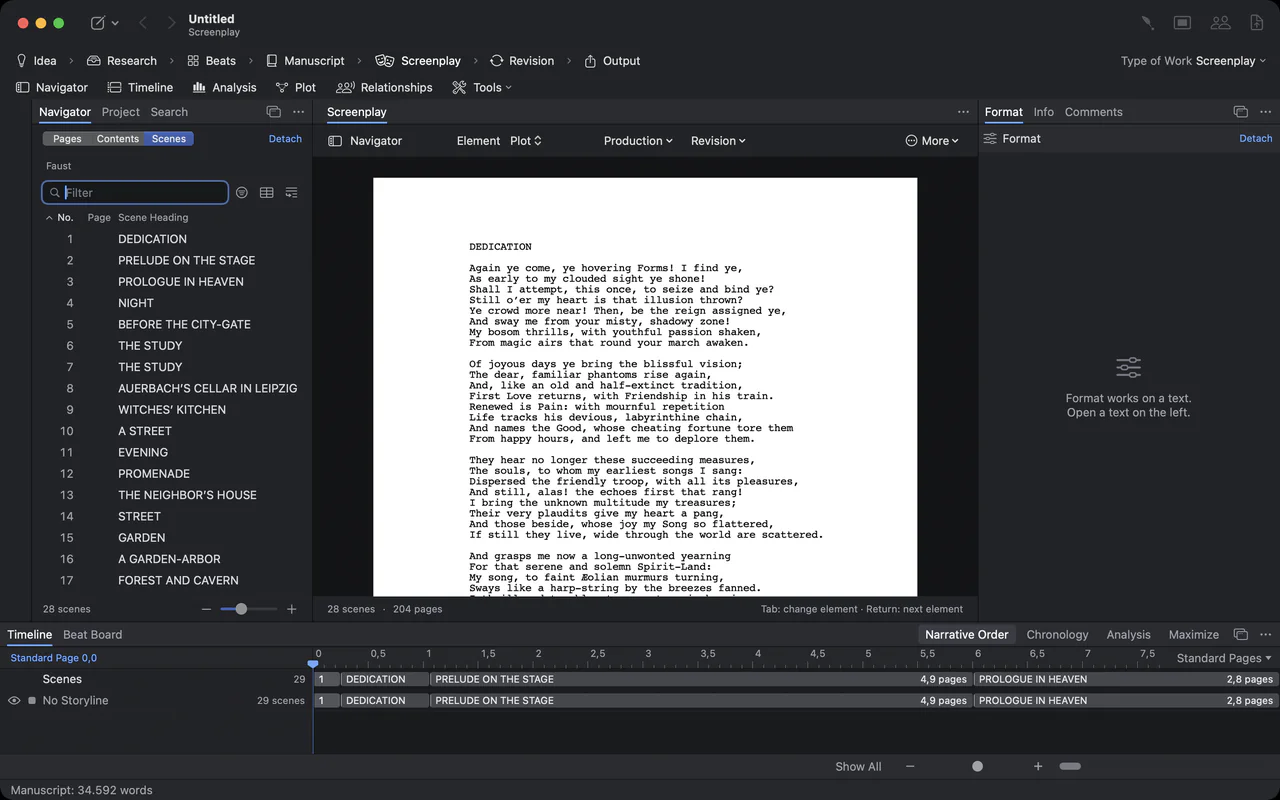
Many courses ask for a treatment first and the screenplay later. Write the treatment in the same project, scene by scene. Then, in the Screenplay phase, Create from Manuscript turns every scene into a scene heading with its text as action – the treatment stays beside the script as the source. Collect beats on the Beat Board (Tools ▾ ▸ Planning ▸ Beat Board) and see under Go ▸ Timeline where your story rests too long.
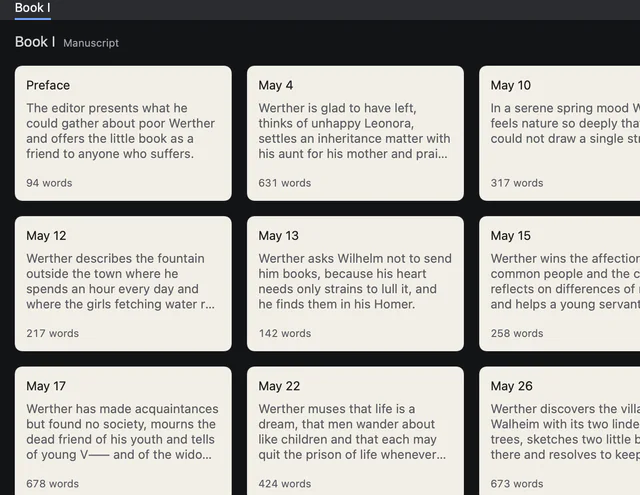
Index cards of the letters, each with title, synopsis and word count
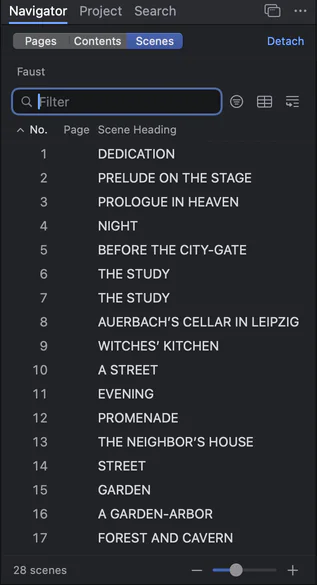
The scene navigator: numbered scenes of Faust with their headings
For film schools and instructors.
A school can give a class one tool in one format, and instructors can read without installing anything.
- Seats for a labGoethe Write for Teams costs US$29.99 per Mac seat, paid once, from five seats. It comes as a private app through Apple Business Manager; an administrator assigns and reassigns the seats.
- Reading in the browserA student creates a read link under Collaborators ▸ Read in a Browser ▸ Create Read Link. The instructor reads in any browser, on any system, and comments arrive in the student’s project in the instructor’s name.
- One file format for everyoneProjects are files in an open, documented format. Screenplays go out as .fdx, Fountain or PDF, so a department is never locked in.
- Theses and papers tooFor written theses with footnotes and a bibliography, see the page for students and universities.
What to know before you choose.
Goethe Write is available now on the Mac App Store. It runs on the Mac (macOS 15 or later), and the free app needs iOS or iPadOS 26. There is no Windows version, so a lab of Windows PCs is better served by a program that runs there, such as Fade In or a browser-based tool.
On the iPhone the page count is an estimate of about 55 lines per page; the Mac sets the exact pages. A shared project lives on the host’s Mac, which has to be on while the group writes. And again: there is no student discount.
Choosing screenwriting software for Mac All comparisons Screenwriting software
Questions from students.
Is there a student discount for Goethe Write?
No. The price is the same for everyone: US$79.99 once on the Mac, after 14 free days. The iPhone and iPad app is free.
Can I write screenplays for free?
Yes, on iPhone and iPad: the app writes screenplays in Final Draft and Fountain format without any purchase. On the Mac you can write for 14 days for free; after that your projects stay readable, printable and exportable.
Do my classmates need to buy Goethe Write to write with me?
No. Whoever shares the project needs Goethe Cloud. Invited classmates join as guests for free, on a Mac, an iPhone or an iPad.
Can I hand in my script as a Final Draft file?
Yes. Export ▸ Final Draft (.fdx) saves the screenplay as .fdx; Export ▸ PDF with title page writes the PDF most courses ask for.
Does it work with my school’s Final Draft lab?
Yes. Goethe Write opens .fdx files with their formatting and saves them back, and paragraphs you did not change leave the file exactly as they came in.
Can a film school buy licences for a whole class?
Yes, through Goethe Write for Teams: US$29.99 per Mac seat, once, from five seats, through Apple Business Manager. Write to us for an offer.
Write your next assignment in industry format.
Get the free iPhone and iPad app, try Goethe Write free for 14 days on the Mac, and buy it once for US$79.99 when you are sure.